


Setting up Alexa routines is easier than it sounds. First, download the Alexa app and navigate to the “Routines” section. Name your routine clearly to stay organized, then set triggers like voice commands or specific times. You can add actions, such as controlling smart devices or receiving alerts. Also, link Alexa to security systems for added convenience (who doesn’t want a little extra security?). Keep your routine personalized with unique responses. There’s much more to discover!
Key Takeaways
- Download the Alexa app from the Apple App Store or Google Play Store to begin setting up routines.
- Create a new routine by selecting “Routines” in the app’s “More” section and tapping the plus sign icon.
- Use clear and descriptive titles for your routines to make them easy to identify and organize.
- Set triggers for routines, including voice commands, schedules, smart home events, or location-based actions.
- Add actions to routines, such as controlling smart devices or providing custom responses using the “Alexa Say” feature.
Understanding Alexa Routines
While many people enjoy the convenience of smart home technology, they might not fully understand how Alexa routines can simplify daily tasks. Alexa routines allow users to automate multiple tasks with just one command, making life more manageable. With the ability to create up to 99 personalized routines per Amazon account, users can easily streamline daily activities. For instance, a routine can adjust smart home devices, like lights or thermostats, or deliver news updates at set times. Triggering these routines can be done through various methods, including voice commands or schedules. Additionally, for seniors, the Alexa Together subscription offers tailored assistance, promoting independence with smart home tasks. Overall, Alexa routines offer significant enhancements to everyday convenience. Amazon Echo devices offer seamless integration with thousands of smart home technologies, enhancing the effectiveness of Alexa routines.
Getting Started With the Alexa App
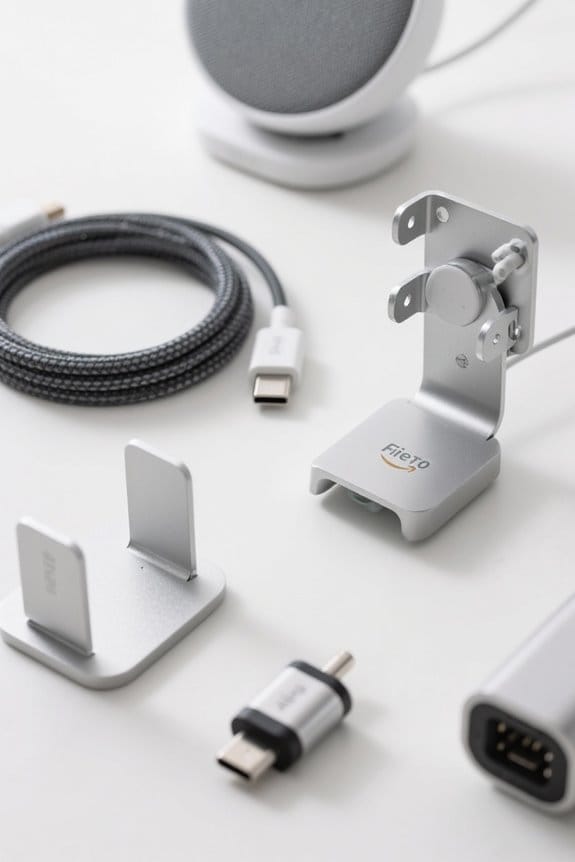
Getting started with the Alexa app offers an exciting avenue for users to enhance their smart home experience. First, download the Alexa app from the Apple App Store or Google Play Store if it isn’t already installed. Once open, users should tap the “More” section, identifiable by a three-line icon in the bottom-right corner. From there, selecting “Routines” reveals the feature for creating and managing automated tasks. Users can tap the plus sign icon in the top-right corner to create a new routine easily. Additionally, the “Featured” tab showcases pre-made routines that may inspire or meet individual needs. These simple steps help users set up routines, making their smart home more efficient and enjoyable. Moreover, Alexa Voice Remote Pro devices offer customizable buttons and remote finder functionality to enhance the smart home experience.
Naming Your Routine

Once users are ready to create their routines, naming them becomes an important step. In the Alexa app, selecting a clear and descriptive title helps in easily identifying each routine. To name your routine, users tap “Enter routine name” during setup, allowing for changes later if needed. While the routine name is primarily for internal reference, it plays a crucial role in organization, especially when managing various routines for smart devices. With the ability to store up to 99 unique routines per Amazon account, concise names make it simpler to locate specific routines quickly. Effective naming your routine enhances the overall Alexa experience, so taking a moment to reflect on titles can greatly simplify future interactions. For those considering advanced automation features, choosing compatible devices like the Leviton Decora Smart Switch can enhance the functionality of their routines.
Setting Routine Triggers
How can users best initiate their Alexa routines? To set routine triggers in the Alexa app, one can tap “When this happens” and choose from various options. For instance, a Voice trigger allows users to specify a unique command, while Schedule triggers let routines activate at specific times each day. Additionally, Smart Home triggers can respond to connected devices, such as turning on lights when motion is detected. Users can also utilize Location triggers, starting routines based on their geographical position, like arriving home. With the capacity to store up to 99 routines per Amazon account, there’s plenty of room for customization. These triggers can elevate daily activities into seamless, automated actions with just a few taps. For optimal performance, ensure that your Echo device is placed securely on a compatible stand to enhance voice recognition and interaction.
Adding Actions to Your Routine
Adding actions to a routine opens up a world of possibilities for Alexa users, allowing them to tailor their experiences to fit their needs. To begin, they can tap “Add action” after setting up a trigger in the Alexa app. Users can choose from various action categories, ranging from managing smart devices to providing weather updates or launching specific skills. Additionally, actions can be combined, guaranteeing a fluid sequence as the routine executes each item one after another. It’s essential to specify which devices will respond to Smart Home actions, as this guarantees everything works seamlessly. Once actions are added, users can look forward to a more personalized and efficient smart home experience. It’s important to remember that choosing ENERGY STAR certified models for smart devices can lead to significant long-term energy savings.
Recommended Products

Each is 21 1/4" high. Extends 11 5/8" from the wall. Square backplate is 5" wide x 1" high. Shade is 13" high x 8" wide. Weighs 2.4 lbs. each.

[Voice Control] Compatible with Google home smart speakers to control window switch with simple voice to free hands,use your voice to control the connected devices easily.

The foundation of the adorne with Netatmo solution, the surface-mount Gateway is cleverly designed to install easily beside an existing single-gang switch or outlet, no back box or network wiring required
Saving and Testing Your Routine
After adding the desired actions to a routine, the next step involves saving and testing the setup to guarantee everything functions as planned. To save your routine, simply tap “Save” in the top-right corner of the Alexa app, finalizing your configuration. Once saved, it’s essential to test the functionality—tap the blue play button next to the routine’s name. This allows you to see if it performs as expected. If adjustments are necessary, re-enter the routine setup to modify any triggers or actions easily. Remember, all actions execute in the specified order, so arrange them thoughtfully to achieve the results you want. Ensuring microphone compatibility is crucial, as it can affect the performance of your routines. Happy testing! (Who knew saving could be fun?)
Using Alexa Routines Without Smart Home Devices
While many might assume that Alexa routines are solely for smart home enthusiasts, they can actually be quite useful for anyone looking to enhance their daily routines. To create a routine without relying on smart devices, users can open the Amazon Alexa app and head to the “More” section, then select “Routines.” Here, they can either choose from featured routines or create a routine by tapping the “+” sign. Triggers can be based on voice commands, specific times, or alarms. Users can enrich their routines with actions like asking for the weather, hearing news updates, or receiving reminders. After configuring everything, simply tap “Save,” and you can test or adjust routines anytime—easy peasy! Additionally, voice-controlled operations are available through major voice assistants, providing hands-free convenience for users.
Setting up Routines With Smart Home Devices
Revealing the potential of Alexa routines can considerably enhance the way smart home devices work together to simplify daily life. To set up routines with smart lights or other connected devices, users first need to ascertain compatibility with their smart speaker and link them to their Amazon Alexa account. Within the Alexa app, selecting “Smart Home” as the trigger or action type allows for specific automation, like turning on lights or adjusting thermostats. Users can create custom routines to activate multiple functions with just one command, such as waking up to bright lights and a comfortable temperature. It’s essential to test each routine after saving, assuring that the devices respond as expected (because who wants a surprise?). Additionally, ensuring your devices operate on a reliable 2.4GHz Wi-Fi network can improve the stability and performance of your smart home setup.
Recommended Products
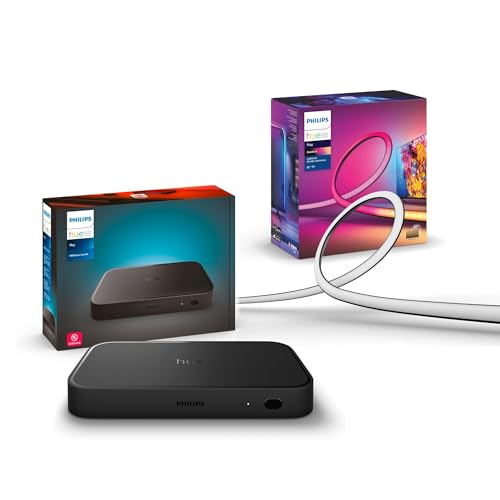
WHAT'S IN THE BOX - Includes one Hue Play HDMI Sync Box 8K, perfect for an immersive media experience, and one Gradient 75" TV smart LED light strip with mounting brackets for use on 75-inch+ TVs

Product 1: WHAT’S IN THE BOX - Includes one White and Color Ambiance 65" TV smart led light strip with mounting brackets designed for use on 65 inch TVs; Perfect for immersive gaming and TV watching experiences

SUPER BRIGHT LED BACKLIGHT SHEET - Our LED backlight sheet features 24V 36W power with 6000K cool white light & CRI 95+, delivering 3600 lumens of high-brightness light, it precisely restores stone’s natural texture and translucency. Its 19.7X9.7 inche for each sheet fits easily under countertops and walls for creating a high-end ambiance in your living room, kitchens, bars, bathroom
Connecting Alexa to Security Systems
As many homeowners seek smarter ways to enhance security, connecting Alexa to various security systems can dramatically improve peace of mind. With integration options like SimpliSafe and Ring, users gain the ability to control security features using simple voice commands. This means Alexa can lock doors, activate alarms, or even alert users when motion is detected—all of which can be essential for home safety. Setting up routines is straightforward; simply enable the security system’s skill in the Alexa app and link your account. Once established, Alexa provides real-time updates regarding security, such as notifications about open doors. This connection not only bolsters safety but also adds a layer of automation to everyday life, making home security smarter. Additionally, when choosing a system, consider models with adjustable volume levels that ensure alarm amplification suited to the environment.
Recommended Products


MINI-LED WITH UP TO 1000 NITS PEAK BRIGHTNESS AND UP TO 600 LOCAL DIMMING ZONES: See more contrast on the field and off. Lots of tiny LEDs make a major difference when it comes to the realism of your picture. Think of them like pinpoints of light illuminating your screen. And Full Array Local Dimming creates deeper shadows and brighter highlights, while virtually eliminating halos

Setting Up Routines for Loved Ones
Enhancing home automation doesn’t just stop at security; it extends to caring for loved ones, especially seniors. With the Alexa Together subscription service, family members can set up and manage routines for elderly relatives remotely using Alexa devices. This feature allows for easy adjustments, reducing the need for frequent in-person visits. Routines can be tailored specifically to address seniors’ needs, like medication reminders or daily activities, helping them maintain a sense of independence. Furthermore, family helpers can monitor safety through automated alerts and notifications, giving everyone peace of mind. By incorporating Alexa into their daily lives, seniors can enjoy the benefits of technology that simplifies routine tasks and enhances their overall quality of life. Additionally, smart air purifiers can be integrated into Alexa routines, providing real-time air quality monitoring to ensure a healthier environment for seniors.
Custom Responses in Alexa Routines
Custom responses in Alexa routines provide a fun way to personalize interactions with the virtual assistant, creating a unique user experience. Users can enhance their Alexa Routines by employing the “Alexa Say” action to dictate how Alexa communicates. This feature allows for specific responses triggered by specific phrases. However, it’s important to match the trigger sentence accurately, since any deviations could interfere with the routine’s activation. Additionally, multiple routines can utilize the same custom response but with different trigger phrases, offering great flexibility. This capability is particularly advantageous for interactive experiences, transforming tasks into enjoyable activities or even educational games, like the Alexa Song Quiz, which can make commands more engaging and enjoyable for everyone involved.
Recommended Products

Feel sound like never before with a pair of breakthrough speakers designed from the inside out for a next-level spatial audio experience.

FOUR METHODS: Smart faucet features four unique methods of control that you can mix and match, independent of the handle position – Voice, App, Hands-Free, or Manual

Voice-Controlled Smart Speaker: Experience the convenience of voice control with Alexa built-in, play songs, ask questions, check the weather, manage smart home devices and more, all with just your voice. Built-in far field microphone array so you can speak Alexa commands from across the room.
Exploring Advanced Routine Building Techniques
Building advanced routines with Alexa can open up a world of possibilities for users keen to enhance their smart home experience. By combining multiple actions, users can design intricate routines that execute complex commands, allowing for seamless integration with various devices. Incorporating the “Alexa Say” function personalizes interactions, delivering customized responses that cater to individual preferences. Additionally, routines can be triggered by unique phrases, adding a layer of engagement to the experience. Users can also activate routines through scheduled times or specific smart home actions, providing diverse options for everyday tasks. For those keen to explore further, Amazon offers detailed developer documentation to guide users through the process of building even more sophisticated routines.
Recommended Products

This electric radiant floor heating kit includes the heat cable (0804-0398-2), Smart LCD WiFi thermostat (0804-0404-TW), and all essential components, which are specifically designed for use with and compatible with Strata Heat membrane (161 Sq Ft) by Laticrete (Included)
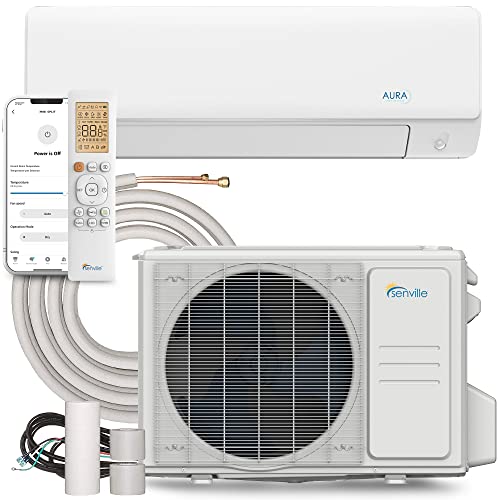
SMART VOICE & APP CONTROL: Compatible with Alexa-enabled devices for voice commands and app-based operation when used with a supported smart controller. Enables temperature adjustments and programmable routines.

[ENERGY EFFICIENT COOLING] This 18000 BTU/h, 21 SEER2, 208-230V, ETL Listed, AHRI Certified pre-charged air conditioner unit features a ductless mini split inverter plus system with a heat pump (up to -4℉/-20℃) and DC Inverter technology provides up to 30% power savings.
Frequently Asked Questions
How Do I Set up Alexa Routines?
How can one simplify daily tasks with Alexa? To set up routines, configure routine triggers using various Alexa commands, then designate actions to create streamlined processes, ultimately enhancing the smart home experience for users.
What Is the Secret Cheat Code for Alexa?
There is no secret cheat code for Alexa; however, users can create custom responses using specific Alexa commands for voice control, enhancing smart home automation. Creativity allows for unique interactions, making the experience more enjoyable.
How Do I Set up Alexa for Beginners?
To set up Alexa for beginners, one should navigate through voice commands while managing smart devices. By downloading the app and defining routines, users can effortlessly automate daily tasks, enhancing convenience and efficiency in their homes.
What Is the Difference Between a Routine and a Scene in Alexa?
A routine in Alexa involves routine triggers to execute multiple actions, while a scene setting focuses on adjusting device states to create ambiance. Routines respond interactively whereas scenes primarily guarantee mood through preset configurations.


