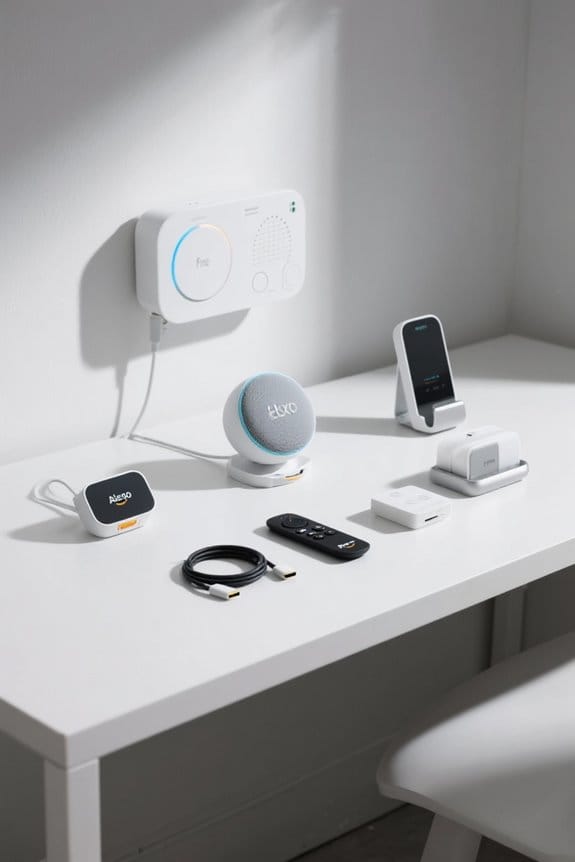
Integrating Ring security devices with the Echo ecosystem enhances home safety and convenience. With hands-free access to live video feeds, users can quickly respond to alerts, ensuring peace of mind. Voice commands allow you to arm or disarm your Ring Alarm effortlessly. Notifications can be customized, minimizing unnecessary distractions. Plus, features like two-way talk and smart automation boost security measures. For a deeper understanding of connection steps and additional benefits, stay tuned to discover more helpful insights.
Key Takeaways
- Connect Ring devices to the same Wi-Fi network as Echo devices for seamless integration.
- Enable the Ring Skill in the Alexa app to allow voice control and notifications.
- Customize motion alerts and notification settings through both the Ring and Alexa apps.
- Access live video feeds and communicate hands-free with visitors using voice commands to compatible Echo devices.
- Utilize automation features for enhanced home security, such as arming/disarming devices with Echo Dot commands.
Why Connect Your Ring Security Devices to Alexa?
When considering home security options, many homeowners might wonder why it’s beneficial to connect Ring security devices to Alexa. Linking these devices offers hands-free access to security features, enhancing convenience and safety. Homeowners can view live video feeds simply by saying, “Alexa, show me the front door,” without reaching for a smartphone. This integration provides enhanced notifications like “Doorbell Press Announcements,” ensuring alerts are communicated directly through Echo devices. Additionally, automation capabilities allow users to arm or disarm their Ring Alarm using voice commands. Overall, connecting Ring and Alexa streamlines home security management, making it easier to stay informed about any potential security issues, all while keeping daily tasks running smoothly (because who doesn’t appreciate multitasking?). Moreover, integrating Ring devices allows for customizable motion detection alerts, which help limit unnecessary notifications and enhance user experience.
Benefits of Integrating Ring With Echo Show

Integrating Ring security devices with Echo Show offers a range of impressive benefits that elevate home security and convenience. Users can enjoy hands-free communication with visitors via voice commands, eliminating the need for smartphones. The Echo Show displays live video feeds from Ring device’s cameras, allowing real-time monitoring of entryways and surroundings. Instant alerts on the Echo Show notify users when someone presses the Ring Video Doorbell, ensuring no visitor goes unnoticed. In addition, voice commands facilitate the arming and disarming of Ring Alarm systems, streamlining home automation. Moreover, customizable motion alerts and notification sounds in the Alexa app enhance personalized security settings, making it easier to adapt notifications to individual preferences while enjoying smart home devices. Many smart door sensors integrate seamlessly with Amazon Alexa and Google Assistant, providing enhanced compatibility with home automation systems for a more cohesive smart home ecosystem.
Steps to Connect Your Ring Devices to Alexa

Connecting Ring devices to Alexa can greatly enhance home security management and convenience. To begin, users should download the Alexa app and verify both their Ring and Echo device are connected to the same Wi-Fi network. In the Alexa app, navigate to “Skills & Games,” search for the Ring Skill, and tap “Enable to Use” to link accounts. This step is crucial for allowing seamless communication between these devices. Once linked, users can customize settings in the Ring app to enhance functionality. With voice commands like “Alexa, show me the front door,” they can easily access Live video feeds from their Ring devices on an Echo Show. To ensure a secure and hassle-free setup, consider using self-drilling anchors for mounting your Echo device, which can eliminate the need for pre-drilling and provide stability. Remember, keeping both apps updated promotes peak performance!
Activating Notifications for Ring
Activating notifications for Ring devices considerably enhances user awareness of home security activities. To get started, open the Alexa app and tap the Devices icon at the bottom of the screen. From there, select your Ring doorbell, tap the gear icon, and toggle on Doorbell Press Notifications and/or Motion Announcements. For complete updates, all your smart devices need to have Communications and Announcements enabled. This will guarantee notifications come through on your compatible Alexa-enabled devices. In addition, users can customize announcement settings for their Ring Intercom by selecting specific Alexa devices to receive alerts. It’s a straightforward process that helps keep you informed about any activity detected by your Ring device—safety first, right? Additionally, integrating devices with adjustable volume levels can enhance the user experience by ensuring notifications are heard clearly in various environments.
Using Voice Commands With Ring and Alexa
Utilizing voice commands with Ring devices and Alexa transforms home security management into a seamless experience. With just a simple phrase like “Alexa, show me the front door,” users can access live feeds from Video Doorbells directly on Echo Show devices. Additionally, responding to visitors is effortless; by saying, “Alexa, answer [Ring Doorbell Name],” communication happens smoothly. For those with a Ring Intercom, commands like “Alexa, access [Ring Intercom Name]” allow for smart locking and unfastening through voice codes. Users can customize their notifications too—utilizing commands like “Alexa, announce when the doorbell is pressed” for instant alerts. These voice commands enhance interaction, making it easy to monitor, manage, and connect with visitors without needing the Ring app. Furthermore, using advanced motion detection features ensures that alerts are precise, reducing false notifications and improving the overall effectiveness of your home security system.
Managing Live View and Device Modes
Managing Live View and device modes is essential for anyone looking to maintain a secure home environment. To optimize Live View access, users should open the Ring app and navigate to the Control Center. Here, they can manage Amazon account linking settings, enabling or disabling Live View for each connected Alexa device. Accessing Live View on compatible Echo devices is easy—just say, “Alexa, show [Ring Device Name].” Users can also arm or disarm their Ring devices using voice commands, adding convenience. For improved notifications, the Alexa app allows customization of motion and doorbell alerts. Additionally, adjusting Announcement Devices in the Ring Intercom settings guarantees the right Alexa devices notify you when someone buzzes, making home security seamless. Two-way Talk capabilities allow users to communicate with visitors directly through their Echo devices, enhancing security interactions.
Troubleshooting Connection Issues
Connection issues can be frustrating, especially when one expects seamless integration between Ring security devices and Echo devices. To troubleshoot, first verify both the Ring camera and Echo devices are connected to the same Wi-Fi network, facilitating proper communication. If problems persist, restarting both devices often resolves temporary glitches. Should the Ring Skill be misbehaving, simply disable it in the Alexa app and re-enable it; this refreshes the connection with your linked Ring account. Additionally, verify that both devices have the latest firmware updates, as outdated software can create compatibility issues. For ongoing troubles, consulting the troubleshooting guide offered by Ring or Amazon can provide specific solutions tailored to any connection hiccup. Furthermore, ensure that your Ring Alarm system is utilizing AI technology in the Glass Break Sensor to minimize false alarms and enhance efficiency.
Enhancing Home Security With Smart Automation
Home security can be considerably enhanced through the use of smart automation, particularly when integrating Ring devices with an Echo ecosystem. By linking your Ring and Amazon accounts, homeowners can utilize Alexa routines to manage their home security systems effortlessly. For instance, when the Ring Video Doorbell is pressed, Alexa can announce the visitor, elevating awareness. Additionally, users can view live footage on an Echo Show, ensuring real-time monitoring without a mobile device. Smart lights can be programmed to activate upon motion detection, providing extra safety. Overall, smart automation simplifies daily security tasks, allowing users to arm or disarm devices and control routines from an Echo Dot, all while enhancing home safety through centralized management. LED night lights provide a cozy ambiance and can be part of this integrated ecosystem, offering energy-efficient lighting solutions for hallways and bedrooms.
Protecting Your Tech With Asurion Home+
When considering the protection of valuable technology, Asurion Home+ stands out as a reliable option for homeowners looking to safeguard their smart devices. This service offers extensive coverage for items such as the Ring® Video Doorbell and various security systems, ensuring users can maintain peace of mind. With plans designed for flexibility, families can choose coverage tailored to their unique device needs. Asurion Home+ also provides 24/7 live support, ready to assist with any technical issues related to devices, including those connected to Alexa. Unexpected damages, theft, or breakdowns won’t derail tech investments, as the protection offered extends the life of these essential smart devices. Investing in Asurion Home+ means solid protection is always within reach. Moreover, the Ring Indoor Cam Plus offers superior 2K video quality and enhanced zoom capabilities, ensuring your home is monitored with exceptional clarity even in low-light conditions.
Frequently Asked Questions
Does Ring Integrate With Echo?
A harmonious symphony arises when Ring integrates with Echo, enhancing smart home security. Users enjoy seamless voice commands, security notifications, and convenient device settings, embodying an interconnected experience that elevates everyday life through enhanced security and automation.
How to Integrate Ring With Alexa?
To integrate a Ring device, first complete the Ring device setup in the Alexa app. Utilize Alexa voice commands for security alerts setup, create custom routines, manage privacy settings, and troubleshoot any issues encountered during video doorbell integration.
Can Echo Hub Control Ring?
The Echo Hub can indeed control Ring devices, showcasing impressive smart home capabilities. With seamless voice control and device compatibility, it simplifies security systems, enhancing user convenience through efficient automation features and a straightforward installation process.
Does Echo Show Ring Cameras?
The Echo Show supports Ring camera features, offering live view functionality and security alerts integration through Alexa voice commands. Users can manage devices, receive camera notifications, and enhance smart home synergy seamlessly with Echo display compatibility.