To connect your smart lights to Alexa, start by ensuring the bulbs are installed and powered. Open the Alexa app, then navigate to “Skills & Games” to find and enable the Cync skill for your specific bulbs. Sign into your Cync account and grant permissions. Finally, use the app’s device discovery feature to link Alexa with the smart lights. With this setup, you can enjoy hassle-free voice control (and who doesn’t love that?). Keep going to uncover tips on optimizing your smart lighting experience!
Key Takeaways
- Ensure your smart light bulbs are installed, powered on, and connected to the same Wi-Fi network as your Alexa device.
- Download and open the Alexa app, then enable the required skill for your smart bulbs, like the Cync skill.
- Sign into your smart bulbs account within the Alexa app and grant the necessary permissions for control.
- Use the device discovery feature in the app to connect Alexa with your smart light bulbs.
- Control your lights with voice commands, such as “Alexa, turn on the living room light” for easy management.
Overview of Smart Light Bulbs and Alexa Integration
As the world increasingly embraces smart technology, many people are discovering the convenience of smart light bulbs, especially when integrated with Alexa. These Wi-Fi enabled devices can be controlled remotely through voice commands, making any space smarter and more responsive. Alexa, Amazon’s virtual assistant, enhances this experience by managing various smart home devices, including compatible smart light bulbs. Users love the ability to command their lighting with just their voice, easily adjusting brightness or changing colors. However, it’s essential to verify that chosen smart light bulbs are compatible with Alexa before purchasing. This compatibility guarantees a seamless connection, allowing users to create automated lighting schedules and enjoy enhanced comfort and efficiency in their everyday lives. One popular option for smart lighting is the WiZ LED Smart Light Bulb, which offers extensive multicolor customization and smart home integration.
Steps to Connect Smart Light Bulbs to Alexa
Connecting smart light bulbs to Alexa involves a straightforward process that anyone can follow with ease. First, the user should verify that the smart bulbs are installed correctly in desired fixtures and powered on. Next, they must download and open the Alexa app, tapping on the menu icon to select “Skills & Games.” Here, they can search for and enable the Cync skill specific to their smart bulbs. After signing into their Cync account within the app, permissions need to be granted. The user should then utilize the device discovery feature, allowing Alexa to recognize and add the smart bulbs to her control list. Finally, testing the connection with voice commands, like “Alexa, turn on the living room light,” confirms successful setup. Consider the material durability of the speaker stands for long-term stability and performance.
Best Smart LED Light Bulbs for Alexa in 2026
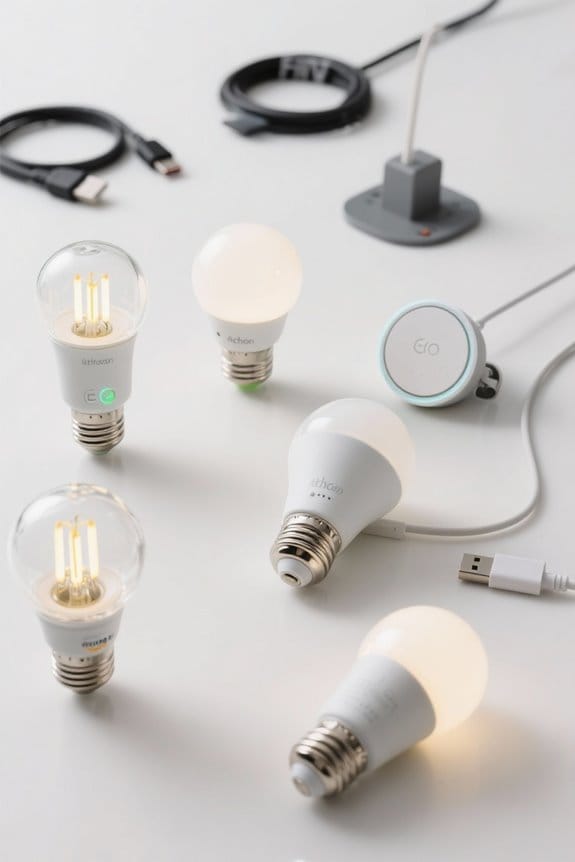
When it comes to illuminating a home in style, smart LED light bulbs compatible with Alexa have taken center stage. The Linkind Wi-Fi Smart Light Bulb stands out with its 16 million vibrant colors and effortless integration with Alexa. Meanwhile, the Linkind Matter Smart RGBTW Bulb attracts attention for its dynamic music synchronization capabilities, ideal for lively gatherings. For those prioritizing brightness and customization, the LIFX Color E26 shines at 1100 lumens. Not to be overlooked, the TP-Link LB100 Kasa Smart Bulb brings excellent flexibility, allowing users to control their lights based on their mood. Many smart bulbs, including Govee models, consume an average of 9 watts, making them energy-efficient options that contribute to sustainability. Each of these options addresses potential connectivity issues, ensuring smooth interactions between Alexa and Google, providing users with seamless smart lighting experiences in 2026.
Features and Additional Capabilities of Smart Light Bulbs
Smart light bulbs have transformed the way people illuminate their spaces, bringing both functionality and flair into homes. These innovative smart lights enable users to control lights easily via their smartphones or voice assistants. With customizable scenes, homeowners can set specific moods for different activities, whether it’s brightening for work or dimming for movie nights. Importantly, smart bulbs operate on a stable Wi-Fi network, often using dual Wi-Fi/Bluetooth technology for enhanced compatibility. Many bulbs boast a wide range of color temperatures, from warm to cool white, allowing users to create the perfect ambiance. The benefits of smart light bulbs extend further with high color rendering index (CRI) ratings, making colors appear more vibrant and natural (goodbye dull lighting!). Additionally, energy-efficient designs help reduce electricity costs, making smart bulbs an economical choice for households.
Troubleshooting Common Issues With Alexa and Smart Bulbs
How can troubleshooting common issues with Alexa and smart bulbs feel less intimidating? First, confirm both the smart bulbs and your Alexa device are connected to the same WiFi network, and that the bulbs are powered on. If Alexa still doesn’t respond, restarting the Alexa device can often resolve issues, along with a quick device discovery in the corresponding app. If problems persist, resetting the smart bulb by turning it off and on five times may help—watch for the bulb to blink, indicating pairing mode. For extra support, consider reaching out to customer service for your specific bulb model. Routine creation through Alexa can further enhance control over your smart bulbs by automating common tasks. Following these steps can turn frustration into satisfaction, making it easier to control smart bulbs with just a whisper.
How to Control Your Smart Lights With Alexa
Controlling smart lights with Alexa can be a game-changer for any home. Users can effortlessly use simple voice commands, like “Alexa, turn on the living room light,” for immediate control. For more finesse, lights can be dimmed by saying, “Alexa, dim the bedroom light to 50%.” The Alexa app on your smartphone allows for even greater versatility, enabling you to control multiple lights at once by creating groups. Commands like “Alexa, turn off all lights” simplify your routine. Additionally, you can schedule your lights to turn on or off at specific times, perfect for early risers who want to wake up to light. Overall, Alexa brings convenience, making smart lighting easy and enjoyable for everyone. For those using touch screen devices alongside smart lights, capacitive stylus pens offer enhanced input precision while navigating the Alexa app.
Advanced Features for Enhanced Light Control
While exploring the advanced features of Alexa-connected lighting, users quickly discover a domain of possibilities that enhance their home environment. Smart bulbs offer group control, allowing users to manage multiple lights with a single voice command, making it easy to brighten entire rooms. Advanced features such as customizable routines enable scheduling based on daily activities, like saying “Alexa, good morning” for a gentle wake-up light. Voice commands permit precise adjustments, such as “dim the kitchen lights to 30%,” giving users full control. Additionally, mood-setting capabilities let lights change colors to sync with music, creating an immersive atmosphere. Some smart bulbs, like those from brands including SYLVANIA, support voice control via Alexa, further enhancing user convenience. With these automation and customization options, users can effortlessly create their ideal lighting scenarios, enhancing comfort and enjoyment throughout their homes.
Tips for Optimizing Your Smart Lighting Experience
Smart lighting can transform an everyday living space into a personalized haven, but optimizing that experience hinges on a few key strategies. First, ascertain all smart bulbs are installed and powered on before connecting them to Alexa for successful recognition. In the Alexa app, utilize the grouping feature, allowing users to control multiple smart lights simultaneously with one voice command—making lighting management a breeze. Assign distinct names to each smart light to improve voice command accuracy. Additionally, create routines in the Alexa app that automate smart lights based on your daily schedule, boosting convenience and energy efficiency. Finally, regularly check for app updates to maintain compatibility and enhance functionality. To ensure smooth operation, remember that most smart outlets are restricted to 2.4GHz Wi-Fi networks, which is essential for maintaining connectivity and performance. (After all, who doesn’t love a smoothly running system?)
Exploring the Benefits of Smart Lighting in Your Home
Enhancing a home with smart lighting opens up a world of convenience and customization for residents. With voice commands, users can adjust their lights effortlessly, making manual switches a thing of the past. Beyond convenience, smart lighting improves energy efficiency, as these bulbs can be programmed to turn off when not in use, potentially cutting energy bills by up to 30%. The color-changing capabilities allow homeowners to set different moods for various occasions, while scheduling features enhance security by simulating occupancy when away. Many smart lighting systems also integrate seamlessly with home automation devices, offering a unified control interface and simplifying management. Overall, smart lighting not only adds flair but also functionality to modern living spaces. Additionally, some smart home systems offer compatibility with a range of devices, including smart ceiling fans, for an integrated and energy-efficient environment.
Frequently Asked Questions
How to Link Smart Lights to Alexa?
To link smart lights to Alexa, users verify smart light compatibility and complete voice control setup through the Alexa app features. Address troubleshooting smart lights and device connection issues for seamless smart home integration and ideal performance.
Why Can’t Alexa Find My Smart Light?
Alexa’s inability to find smart lights often stems from troubleshooting connectivity issues, inadequate Wi-Fi signal strength, outdated Alexa skills, or the need for a factory reset procedure to resolve persistent device discovery problems. Compatibility checks are essential.
How Do I Pair My Smart Light?
To pair a smart light, one must verify compatibility, utilize appropriate pairing methods, follow app setup instructions, enable related skills in frameworks like Alexa, and apply troubleshooting tips for failure in detection using voice commands.
How to Connect Smart Devices to Alexa?
Connecting smart devices to Alexa requires ensuring device compatibility, adjusting app settings, utilizing voice activation, and implementing automation routines. Troubleshooting tips may assist if challenges arise, allowing seamless integration into a cohesive smart home ecosystem.