


Alexa routines are fantastic for automating smart home tasks. Users can create morning routines to wake up with gentle light and music, or bedtime routines that dim lights and play calming sounds. Workout routines can help track time and pump up the energy. It’s easy to set these up using the Alexa app. Stay tuned for tips on how to customize these routines and troubleshoot any issues. Who knew home automation could be this simple and fun?
Key Takeaways
- Morning routines can automate lighting, offer weather updates, and play music to kickstart your day effectively.
- Create workout routines that set timers, play energizing playlists, and provide hydration reminders for optimal performance.
- Bedtime routines can help with relaxation by dimming lights, adjusting thermostats, and playing soothing sounds before sleep.
- Automate security measures by creating routines that turn off lights and activate alarms when leaving home.
- Utilize lighting schedules to seamlessly adjust brightness throughout the day while saving energy in your smart home.
What Are Alexa Routines?
Alexa routines serve as powerful tools designed to simplify daily life by executing multiple smart home actions with just one command. These custom sequences enable home automation, allowing users to manage various devices simultaneously. With just a single voice command, individuals can enjoy the convenience and efficiency of their smart homes. For instance, users might create a morning routine that turns on the lights, plays their favorite music, and provides weather updates. By personalizing Alexa routines, people can accommodate different lifestyle needs, making daily tasks easier to handle. Whether it’s triggering reminders or automating common actions, these routines enhance overall functionality, helping users feel more in control of their environments while adding a touch of modern-day wizardry to everyday life. Additionally, these routines can incorporate smart home integration to streamline the management of compatible devices, ensuring a seamless user experience.
How to Set Up an Alexa Routine

Setting up an Alexa routine can be a straightforward process that transforms the way users interact with their smart home devices. To begin, they should open the Alexa app on their smartphone and navigate to the ‘Routines’ section by tapping the ‘More’ button. Next, creating a new routine is as simple as tapping the ‘+’ icon and assigning a descriptive name. Users can then choose a trigger to activate the routine, such as voice commands or scheduled times. Afterward, multiple actions can be added, allowing Alexa to perform various tasks seamlessly. Finally, selecting a specific Alexa device to execute the routine and tapping ‘Save’ will finalize the setup, effectively automating everyday tasks for a smoother smart home experience. Consider integrating smart devices like Alexa-enabled door locks to enhance home security and convenience.
Recommended Products

Commercial-Grade Strength & Reliability: Purpose-built for high-traffic commercial use in offices, schools, and multi-unit buildings. This UL10B/10C fire-rated lock is engineered for long-term durability and consistent performance, powered by 8 AA batteries for extended operation and uptime.

✅ With the DB2S you can now lock or unlock your door in 4 different ways: Pin Code, RFID Card, Key override or using the Alfred Home App on your mobile device

ANYWHERE ACCESS: With built-in WiFi compatibility, you can easily and securely connect your Schlage Encode Plus lock to your home WiFi network to control and monitor your home from anywhere with the Schlage Home app
10 Best Alexa Routine Ideas

Creating effective Alexa routines can greatly enhance the functionality of a smart home, allowing for seamless daily living. A well-designed morning routine can activate smart home devices like lights, provide weather updates, and play motivational music, guaranteeing a productive start. For workout enthusiasts, routines can automatically set timers, play energizing playlists, and remind users to hydrate, enhancing exercise sessions. As the day winds down, a bedtime routine can dim lights, adjust the thermostat, and even play soothing sounds, promoting relaxation. Additionally, home automations can guarantee safety by turning off all lights and activating security systems when leaving home. Automating lighting schedules brings further convenience, helping save energy while providing light exactly when needed. To ensure uninterrupted streaming, it’s crucial to have reliable power adapters that enhance the performance of devices like the Fire TV Stick.
Recommended Products
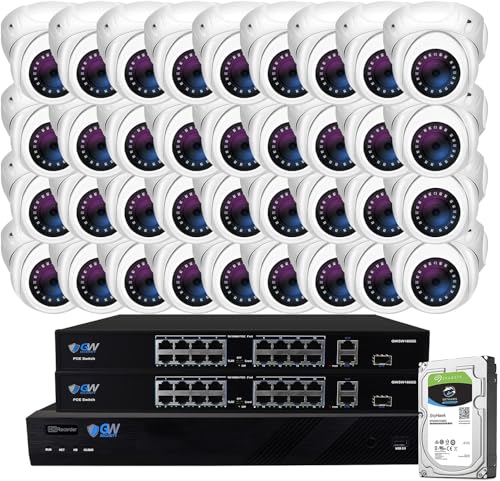
Ultra High Definition 4K (3840x2160) FOUR TIMES the resolution of 1080P! 32 Channel 6K 12MP NVR Security Camera System with (32) H.265+ 4K (8MP) @20FPS Weatherproof 135° Diagonal Field of View Lens PoE IP Turret Cameras (Built-in Microphone)

Ultra High Definition 4K (3840x2160)FOUR TIMES the resolution of 1080P! 32 Channel 6K 12MP NVR with (32) H.265+ 4K (8MP) @20FPS Weatherproof 135° Wide Angle Microphone Audio & Video PoE IP Bullet Cameras

Max 8.0 Megapixel Full HD Realtime Recording 32 Channel 4K NVR Security System with (32) 5MP 1920P Weatherproof POE H.265 IP Dome Cameras (Built-in 2.8mm megapixel HD Lens for wide view angle and 48Pcs Infrared LED, View up to 130ft IR Distance)
How to Turn Off Alexa Routines
Managing Alexa routines is straightforward, allowing users to customize their smart home experience easily. To turn off a routine, users should open the Alexa app and navigate to the ‘Routines’ section. Here, they can find the specific routine they wish to disable. Toggling the switch to the off position will effectively stop it. Alternatively, for additional options, selecting the three-dot menu next to the routine name reveals settings where users can manage their routines further. It’s also essential to check any assigned triggers to confirm that the routine will not activate unexpectedly. If any issues arise, verifying the connection status of the devices linked to that routine can help troubleshoot potential errors. Many smart plugs, like the Kasa Smart Plug HS103P4, offer compatibility with Alexa and provide scheduling capabilities that enhance automation.
Recommended Products

Each is 21 1/4" high. Extends 11 5/8" from the wall. Square backplate is 5" wide x 1" high. Shade is 13" high x 8" wide. Weighs 2.4 lbs. each.

[Voice Control] Compatible with Google home smart speakers to control window switch with simple voice to free hands,use your voice to control the connected devices easily.

The foundation of the adorne with Netatmo solution, the surface-mount Gateway is cleverly designed to install easily beside an existing single-gang switch or outlet, no back box or network wiring required
How to Delete Routines on Alexa
While exploring the Alexa app for managing routines, users may find it necessary to delete certain ones for a more streamlined smart home experience. To delete a routine, they can navigate to the ‘Routines’ section from the menu. Once there, selecting the specific routine to be deleted is simple. By tapping the three-dot menu icon found in the top right corner, users can choose the ‘Delete Routine’ option from the dropdown menu. This action initiates the deletion process, and users will need to confirm their choice when prompted. Deleting a routine guarantees that it will no longer be triggered, making it easier to adjust their automation preferences and keep things organized (because who doesn’t love a tidy smart home?). Additionally, having multi-room audio support ensures synchronized playback throughout the home, which enhances the overall smart home experience.
Troubleshooting Alexa Routines
When routines on Alexa don’t work as expected, it can be frustrating; however, there are several straightforward steps users can take to troubleshoot the issue. First, verify that your Alexa devices are connected to a stable Wi-Fi network, as poor connectivity can hinder routine performance. Next, make sure all devices are operational and compatible with Alexa. This is vital because non-functional devices can disrupt routine execution. Additionally, regularly update the Alexa app and connected devices to the latest software to avoid compatibility issues. Users should also recheck routine triggers and actions for accuracy, as incorrect settings might lead to failures. Finally, confirm that your Alexa account is in good standing, and all devices are registered under the same account. For improved network management, consider using access points with multiple SSIDs to enhance network segmentation and security.
Tips for Customizing Your Routines
Customization of Alexa routines offers users the opportunity to enhance their smart home experience, tailoring it to fit individual lifestyles and preferences. To get started, defining specific triggers like voice commands or time schedules can help initiate actions that support daily needs. Using the ‘Routines’ section in the Alexa app allows for assigning descriptive names to these routines, making management a breeze. It’s also beneficial to incorporate multiple actions, enabling Alexa to control various devices simultaneously, such as adjusting lights and providing weather updates. Regularly reviewing and tweaking routines based on evolving preferences keeps them relevant. Finally, adding personalized responses from Alexa enhances engagement, making interactions more enjoyable and customized for the whole family (because who doesn’t enjoy a quirky response?). A variety of connectivity methods including Wi-Fi, Bluetooth, USB, and AUX ensure versatile use, enhancing the overall smart home integration with Alexa.
Frequently Asked Questions
How to Automate Your Home With Alexa?
To automate a home with Alexa, one can weave smart lighting, security settings, and temperature control through voice commands, creating a harmonious symphony of appliance management. Routines tailored to individual needs enhance daily living effortlessly.
What Is Alexa’s Secret Code?
Alexa does not have a “secret code.” Instead, users leverage Alexa voice commands, exploring Alexa easter eggs, enabling music control, and enhancing productivity through clear commands, as detailed in the compatibility list of devices.
Does Alexa Have a Sassy Mode?
In a world where laughter reigns, Alexa doesn’t have a designated sassy mode. However, users can evoke sassy responses through voice activation, utilizing fun commands that showcase her personality quirks and deliver delightful Alexa humor.
What Happens if You Say 911 to Alexa?
When someone says “911” to Alexa, the device engages emergency response protocols via voice activation, utilizing its safety features. Proper configuration allows for smart device integration, potentially alerting emergency services with relevant details, enhancing user safety.


