


Setting up podcast playback on Echo smart speakers is a simple process. First, link your preferred podcast service, such as Apple Podcasts or Spotify, in the Alexa app. Next, you can set a default provider to streamline voice commands. With services like Amazon Music, podcasts are easily accessible through voice commands, enhancing your listening experience. Don’t forget to explore new content too. (Who knew finding your next favorite show could be so easy?) There’s plenty more to discover!
Key Takeaways
- Open the Alexa app to link your preferred podcast service under Settings > Music & Podcasts > New Service.
- Set a default podcast provider in the Alexa app for streamlined playback without specifying the service.
- To use Apple Podcasts, enable the skill and link your account, then set it as the default podcast service.
- Use voice commands like “Alexa, play [Podcast Name]” for seamless access to your favorite podcasts.
- Explore new podcasts by browsing the podcasts section in the Alexa app or searching for podcast-related skills.
Linking Your Preferred Podcast Service
Linking a preferred podcast service to Echo smart speakers opens up a world of audio entertainment. To begin, users should access the Alexa app, tapping on the More icon in the bottom toolbar. From there, they can navigate to Settings and find the Music & Podcasts section, where they’ll see the option to link a New Service. Once they’ve selected their favorite podcast provider—options include Apple Podcasts, Spotify, or TuneIn—they simply tap “Enable to Use.” Signing in with account credentials is essential to authorize access. With the service linked, listeners gain a seamless way to enjoy their podcasts. (Just imagine saying, “Alexa, play my favorite podcast” without any extra steps!) Echo smart speakers support various connectivity protocols, ensuring a seamless integration with your preferred services.
Recommended Products

9.1.2 Ch. TRUE DOLBY ATMOS SOUND: 9.1.2 channel sound is legit; With layers of dimension and crystal-clear surround sound, you can lose yourself in this authentic Dolby Atmos experience
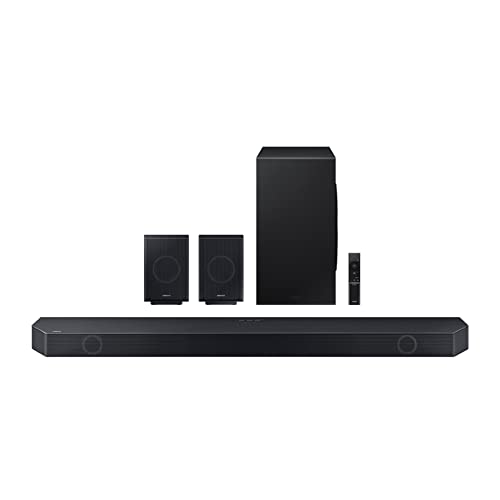
11.1.4 CH. TRUE DOLBY ATMOS SOUND: Feel sound all around with 11 front-facing speakers, 1 subwoofer and 4 up-firing channels for a true Dolby Atmos experience; Flood the room with audio from all angles, for sound so real you can almost touch it

An innovative dual acoustic chamber results in a stunning size-defying performance
Setting a Default Podcast Provider

Setting a default podcast provider on Echo smart speakers can greatly enhance the listening experience. To set this up, users need to open the Alexa app and navigate to Settings > Music & Podcasts > Default Services. Tapping the Change link under the Podcasts section lets users select their preferred service, such as Apple Podcasts or Spotify. Once a default podcast provider is established, Alexa can effortlessly play specific shows without the need to mention the service name, which simplifies commands greatly. For those wanting to explore more options, new podcast services can be easily linked by visiting Settings > Music & Podcasts > Link New Service in the app. This customization improves hands-free listening, making it truly enjoyable. When setting up smart devices like Echo speakers, it’s important to verify support for a 2.4GHz Wi-Fi connection for optimal performance, as outlined in the best practices for smart plugs.
Recommended Products

With 300 watts of powerful sound and a pair of 8” two-way stereo speakers, the JBL EON208P ensures your audience experiences superior sound quality during performances, presentations, and events.
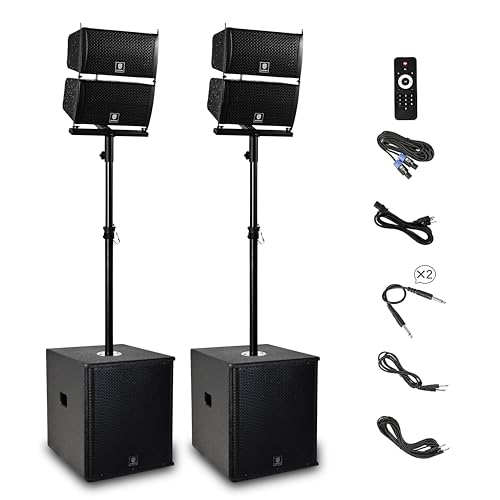
RECK 6000W POWERED PA SYSTEM: Consists of ONE 15INCH active subwoofer, ONE 15INCH passive subwoofer, 4 line array speakers, ONE 6-feet Power Cable, ONE remote control and ONE user manual. The active subwoofer features a amplifier and streams clear music to 4 array speakers, and then deliver music to all audiences.

What The Item Include: PRORECK DELTA 126 PA Speaker come with (1) 6-channel powered bluetooth mixer, (2) 12 inch passive speakers (2) Adjustable tripod speaker stands, (1) Wired microphone. (2)16.5ft speakon Cable for mixer to connect passive speakers, (1) power cable, (1) manual.
Playing Podcasts With Amazon Music

While exploring podcast options on Echo smart speakers, it’s exciting to know that Amazon Music serves as a convenient platform for playback. This service offers a wide selection of popular podcasts and original shows, allowing users to immerse themselves in engaging content. When you ask your Alexa device to play a specific podcast, such as “Alexa, play This American Life,” it automatically defaults to Amazon Music for seamless playback. All subscription tiers of Amazon Music provide free access to podcasts, making it budget-friendly. Users can easily search for their favorite shows using the Alexa app or voice commands. With Echo devices set to prioritize Amazon Music, listening to podcasts becomes a straightforward, enjoyable experience. Many air purifiers offer energy efficiency features, which can reduce overall energy consumption in homes.
Recommended Products

LS60 Wireless aims to bring high-fidelity sound to more people in their homes. With the combination of all our key technologies, LS60 Wireless delivers high-fidelity sound up to 24bit/384kHz.

Available streaming services include: Spotify Connect, Tidal, Amazon Music, Qobuz, Deezer, QQ Music, Internet Radio, and Podcasts.
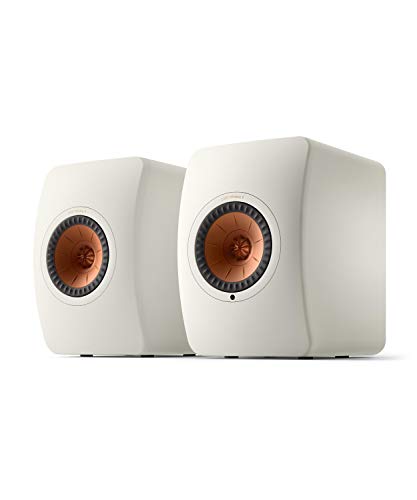
Available streaming services include: Spotify Connect, Tidal, Amazon Music, Qobuz, Deezer, QQ Music, Internet Radio, and Podcasts.
Playing Podcasts With Apple Podcasts
To enjoy podcasts from Apple Podcasts on Echo smart speakers, users first need to enable the Apple Podcast skill in the Alexa app. After linking their Apple Podcasts account, they might find that Amazon Music is still set as the default podcast player. To switch this, users should navigate to Settings, then Music & Podcasts, and select Default Services in the Alexa app. Once Apple Podcasts is set as the default, they can simply say, “Alexa, play [Podcast Name]” without needing to mention the service. If any issues arise, users should verify their Apple Podcasts account is authorized and properly linked in the Alexa settings. Additionally, using the Alexa Voice Remote Pro can enhance the overall streaming experience by offering customizable shortcuts and voice command features. This allows for a seamless podcast experience on Echo smart speakers.
Playing Podcasts With Spotify
When looking to enjoy podcasts through Spotify on Echo smart speakers, users first need to connect their Spotify account to Alexa via the Alexa app. Linking the account is straightforward and essential for seamless playback. After this, users can designate Spotify as their default podcast provider by directing to Settings > Music & Podcasts > Default Services. Once set, users can simply say, “Alexa, play [podcast name],” and the speaker will automatically use Spotify to play podcasts on your Echo. It’s worth noting that an active Spotify account is required to access all content without issues. Managing or discovering new podcasts can always be done directly in the Spotify app, while Alexa will handle the playback requests. For those seeking a durable solution for their smart home setup, choosing the right switch wall plate can also enhance the overall aesthetic and functionality of your space.
Discovering New Podcasts
Discovering new podcasts on Echo smart speakers opens up a world of audio entertainment, making it easy for users to expand their listening habits. To find fresh content, they should navigate to the Alexa app and explore the podcasts section within Skills & Games under Featured Categories for Music & Audio. The Search icon is also a handy tool for browsing various podcast-related skills, perfect for enhancing the listening experience. By tapping on interesting podcasts, users gain quick access to details and can effortlessly start listening, enriching their podcast library. For even more options, enabling different podcast services in the Alexa app allows access to shows from popular platforms, making an Amazon account a key to audio variety. Users can enhance their experience by integrating energy-efficient designs into their smart home setup, which contribute to reduced electricity bills and cost savings.
Controlling Podcast Playback
Controlling podcast playback on Echo smart speakers offers an effortless way to manage audio enjoyment. Users can utilize the Alexa app to play a podcast, pause, or skip episodes through the intuitive player panel. The app prominently displays recently played podcasts at the top of the Entertainment screen, enabling quick access. Voice commands simplify the experience, allowing users to say, “Alexa, play” followed by the podcast name to resume from where they left off. Additionally, podcasts integrated into Alexa Routines can be activated with a single command, enhancing convenience. Volume control, scrubbing, and other playback features can be easy to manage, whether through voice or the Alexa app interface, making for a seamless listening experience.
Streaming Podcasts From Your Phone via Bluetooth
Streaming podcasts from a smartphone to an Echo smart speaker makes for an enjoyable listening experience, allowing users to easily share their favorite shows with powerful audio quality. To begin, users should say “Alexa, pair” to initiate Bluetooth pairing on the Echo device. Next, they can navigate to the Bluetooth settings on their mobile device to connect, selecting the Echo from the list of available devices. Alternatively, users can pair devices using the Alexa app by going to Devices > Echo & Alexa. Once paired, podcasts can be controlled directly from the mobile device or through voice commands via the Echo speaker. Remember that the Echo acts as a speaker, so the podcast plays from the smartphone. Smart plugs, like the Kasa Smart Plug, enhance the smart home ecosystem and can be integrated with Alexa for seamless control of other devices.
Frequently Asked Questions
How Do I Play a Podcast on My Echo?
To play a podcast on an Echo device, users can utilize voice commands, specifying the podcast app desired. This method guarantees ideal audio quality, enhancing the listening experience while also providing the flexibility of different podcast sources.
Can You Listen to Podcasts on a Smart Speaker?
Like a library of voices, smart speakers offer easy access to podcasts from various platforms. Users can discover new shows, enjoy playback benefits, and switch between podcast platforms for personalized listening experiences, enhancing their auditory journey.
What Podcasts Can I Play on Alexa?
Users can play a variety of podcasts on Alexa, spanning popular podcast genres. Subscription options include services like Amazon Music, Apple Podcasts, Spotify, and TuneIn, each offering unique shows and access to diverse content.
Does Alexa Have Free Podcasts?
Yes, Alexa offers free podcast options across various podcast genres. Users can access popular podcast choices without additional fees through services like Amazon Music, TuneIn, Apple Podcasts, and Spotify, enriching their listening experience.


