


To access international content on Fire TV devices, users should consider using a VPN. A VPN allows them to bypass regional restrictions, providing access to broader streaming options. To get started, install a reliable VPN app, like NordVPN or ExpressVPN, directly onto the Fire TV device. After logging in, choose a server location that matches the desired content. This setup enhances security while streaming. Curious about more tips to optimize your streaming experience? Continue exploring!
Key Takeaways
- Install a reliable VPN on your Fire TV device to bypass geographical restrictions for international content access.
- Choose a VPN with strong encryption and optimized servers for streaming, like NordVPN or ExpressVPN.
- Download the VPN app from the Apps section on your Fire TV Stick, and log in with your credentials.
- Connect to a server in the desired country to access region-specific content libraries on platforms like Netflix and Hulu.
- Regularly check internet speeds and switch servers if you experience connectivity issues while streaming.
Understanding the Need for a VPN With Fire TV Devices
When it comes to enjoying a diverse range of content on Fire TV devices, understanding the role of a VPN can be quite enlightening. A VPN allows Fire TV Stick users to bypass geographical restrictions, thereby gaining access to international content libraries like Netflix US and Hulu. By connecting to a VPN server in another country, users can change their IP address, which tricks streaming services into thinking they are located in that region. Using a reliable VPN, such as NordVPN or ExpressVPN, enhances online security by encrypting internet traffic while streaming. This not only opens up full functionality on the Fire TV Stick but also guarantees a safer viewing experience, combining the joy of streaming with essential online protection. Some HDMI to DisplayPort adapters, like the Cable Matters 8K Adapter, support high resolutions and refresh rates, which is crucial for users who value seamless connectivity and high-quality visuals.
Steps to Change Your Location on Fire TV
Changing one’s location on a Fire TV device opens up a world of content options, making it a valuable skill for any user. To change location, start by acquiring a reliable VPN service, such as NordVPN, which allows access to region-locked streaming apps. After you install a VPN app on your Fire TV Stick, connect it to a server in the desired country to modify your IP address. Next, log in to your Amazon account and navigate to Accounts and Lists > Your Content and Devices > Preferences. Here, update your country/region settings by entering the new address for this location. Finally, restart your Fire TV device to apply the changes and gain access to international content, enhancing your viewing experience. For optimal performance, consider using an Ethernet adapter with speeds of at least 1000 Mbps to ensure seamless streaming and gaming experiences.
How to Install a VPN on Your Fire TV Device
Installing a VPN on a Fire TV device is a straightforward process that can significantly enhance streaming options. Users should start by making their way to the Apps section on their Amazon Fire TV Stick and searching for their desired VPN app, like NordVPN or ExpressVPN. Upon finding the app, clicking it allows for a direct download onto the device. Once the installation is complete, launching the VPN app and logging in with credentials follows. Next, users can select a server location to access international content. A confirmation message will indicate a successful connection. With the VPN active, users can enjoy a broader array of streaming content while benefiting from improved privacy and security. Just verify your internet speed meets streaming standards! For optimal performance, consider a device equipped with high-speed dual-band Wi-Fi 6 to ensure smooth streaming experiences.
Recommended Products

Secure private cloud - Safely access and share files and media from anywhere, and keep friends, partners, or collaborators on the same page
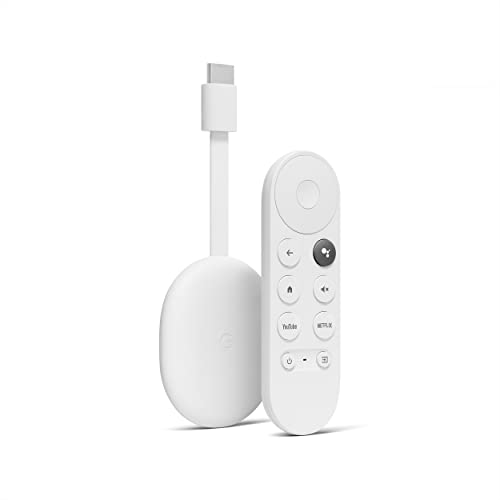
Get fast streaming and enjoy a crystal clear picture up to 4K and brighter colors with HDR. **

𝐑𝐨𝐚𝐦 𝟔 𝐀𝐗𝟑𝟎𝟎𝟎 𝐃𝐮𝐚𝐥-𝐁𝐚𝐧𝐝 𝐓𝐫𝐚𝐯𝐞𝐥 𝐑𝐨𝐮𝐭𝐞𝐫 - TP-Link’s fastest Wi-Fi 6 travel router, with wireless speeds of up to 2402 Mbps on 5 GHz and 574 Mbps on 2.4 GHz. Actual Wi-Fi speeds vary based on source bandwidth, environment, and distance to devices.◇§
Best VPNs for Accessing International Content on Fire TV
Choosing the best VPN for accessing international content on Fire TV is essential for enhancing streaming experiences. For Fire TV Stick users, NordVPN and ExpressVPN are often highlighted among the best VPNs for Amazon. NordVPN boasts servers in 126 countries, ensuring strong encryption and reliable access to content across popular streaming services. Surfshark, with over 3,200 servers in 100 countries, is perfect for families, offering unlimited simultaneous connections. Meanwhile, ExpressVPN is praised for high speeds suited for 4K streaming, alongside excellent unblocking capabilities. CyberGhost VPN caters to beginners due to its user-friendly interface and broad server coverage. With these secure VPN protocols, users can easily bypass geo-restrictions and enjoy international streaming, making their entertainment options vastly more exciting. In addition to VPN usage, consider integrating smart home systems that support voice-controlled lighting for a seamless technological experience.
Recommended Products

𝐒𝐮𝐩𝐞𝐫𝐢𝐨𝐫 𝐒𝐩𝐞𝐞𝐝𝐬 𝐰𝐢𝐭𝐡 𝐌𝐔-𝐌𝐈𝐌𝐎: Designed with the latest 802.11ac Wave 2 MU-MIMO technology, the EAP225 reliably delivers dual-band Wi-Fi speeds up to 1350 Mbps to multiple devices simultaneously.
![BENFEI 5 Pack USB C to HDMI Adapter 4K@60Hz, USB Type-C to HDMI Adapter [Thunderbolt 3/4/5 Compatible] with iPhone 15 Pro/Max, MacBook Pro/Air 2023, iPad Pro, iMac, S23, XPS 17, Surface Book](https://m.media-amazon.com/images/I/41Jjjk+0E2L._SL500_.jpg)
COMPACT DESIGN - The compact-designed portable BENFEI USB-C to HDMI adapter connects a computer, desktop, laptop, or other devices with USB-C port to a monitor, projector, HDTV, or other devices with HDMI port; Tuck this lightweight gadget into your bag or pocket to do a business presentation with your laptop and projector, or extend your desktop screen to a monitor or TV;

Pocket sized Wireless N router Travels effortlessly
Changing Your Fire TV’s IP Address for Streaming
Wondering how to access a world of streaming options on Fire TV? Changing your Fire TV Stick’s IP address can open the door to international content. By connecting to a reliable VPN, you can effectively change your location and mask your real IP address. This enables you to bypass geo-restrictions imposed by streaming services like Netflix and Hulu. Once you install a VPN app directly on your Fire TV, you can connect to various server locations, revealing different content libraries that typically remain hidden. Not only does this enhance your viewing experience while traveling, but it also boosts your digital privacy. Embrace new shows and movies from around the globe—your Fire TV should be your passport to entertainment! Additionally, using reliable power adapters is crucial for maintaining optimal streaming performance and minimizing interruptions during your viewing sessions.
Troubleshooting Common VPN Issues on Fire TV
Accessing international content on Fire TV can sometimes lead to a few bumps in the road, particularly when it comes to using a VPN. First, confirm the VPN app is properly installed, as errors can cause connectivity issues and prevent bypassing geo-restrictions. Next, verify that the Fire TV Stick is connected to a reliable internet connection; poor connectivity can lead to buffering. Regularly check for updates to the VPN app, as outdated versions may struggle with content access. If connections falter, try switching server locations within the VPN app, since some servers may be congested or blocked. Finally, restarting both the Fire TV Stick and the VPN app can help troubleshoot any lingering glitches. Consider using a high-quality Fire Stick extender to enhance streaming quality and reduce buffering, especially if the router and Fire TV Stick are located far apart.
Recommended Products

HUGE PORTABLE POWER: The WGen14500DF dual fuel generator is an ideal power source for jobsites and emergency backup of larger homes. Gas: 18,000 peak watts, 14,500 running watts; Propane: 16,000 peak watts, 13,000 running watts

【Brilliant Visuals】The NexiGo TriVision Ultra uses a brand new hybrid light source: Tri-LED-Laser. Blending tri-color LED and tri-color laser into one powerful engine, this projector achieves a wider color gamut with higher brightness and no laser speckle. It's also healthier to watch for extended periods compared to regular laser projectors, which can cause eye fatigue. Perfect for movies, games, or content creation on a screen of up to 300" across. 【Note:】For optimal viewing, we recommend a projection size of 80" to 150".

UNMATCHED 3D REALISM FOR YOUR HOME THEATER SYSTEM – Enjoy Immersive surround sound with Dolby Atmos Height Virtualization and DTS Virtual:X and crisp, clean picture with advanced video processing, 8K/60Hz, and 4K/120Hz pass-through
How to Access Region-Locked Apps on Fire TV
Accessing the potential of region-locked apps on Fire TV opens up a world of entertainment options. To start, users should install a reliable VPN app, designed specifically for Fire TV Stick, allowing them to connect to servers in countries where these apps are available. After setting up the VPN, they can launch the app to download or relaunch the desired region-locked apps, effectively bypassing geo-restrictions. Additionally, changing the Amazon account country settings through the “Your Content and Devices” menu will enable users to access international content more easily. It’s important to choose a VPN for Firestick that can successfully navigate streaming services like Netflix or Hulu, which may block certain VPN traffic (it’s a bit of a cat-and-mouse game). When setting up your Fire TV device, consider using an HDMI extension cable to reduce strain on HDMI ports, ensuring the longevity of your setup and maintaining optimal signal stability.
Benefits of Using a VPN for Streaming Services
A VPN can considerably enhance the streaming experience for users looking to access a broader range of content. With a Fire TV Stick, using a VPN allows individuals to bypass geo-restrictions, exposing international content not normally available in their region. By connecting to servers in different countries, users can access various streaming services and enjoy a wider Netflix catalog or other regional streaming options. Additionally, VPNs protect your privacy by encrypting internet traffic, ensuring that ISPs and others cannot monitor online activities. Many top VPNs, such as NordVPN and ExpressVPN, provide dedicated servers optimized for streaming, which typically guarantees minimal buffering and high-quality video playback (the cherry on top!). Overall, a VPN can reveal different content libraries, enhancing any viewer’s entertainment options.
Compatibility of VPNS With Different Fire TV Models
Fire TV users looking to expand their streaming options will find that understanding VPN compatibility with various Fire TV models is key. All Fire TV devices from the second generation onward, including the Fire TV Stick, are compatible with VPN apps, allowing users to access international content easily. However, the Fire TV Cube has geographical restrictions, so using a VPN becomes crucial for accessing content not available in the US, UK, Canada, Germany, or Japan. Users can download popular VPN apps like NordVPN and ExpressVPN directly from the Amazon Appstore, but it’s essential to check that their device runs on Fire OS 7 or newer for peak performance with these compatible VPNs. Rechargeable AA batteries offer eco-friendly options for powering your Fire TV remote, adding to the overall sustainability of your streaming setup. Happy streaming!
Recommended Products

The new Fire TV experience (2026 release) – Our biggest update to Fire TV has a new, modern design that gets you to your entertainment fast. Browse dedicated content categories, pin more of your favorite apps, and get personalized recommendations from Alexa+. Spend less time scrolling, and more time watching.

Essential 4K streaming – Get everything you need to stream in brilliant 4K Ultra HD with High Dynamic Range 10+ (HDR10+).

This refurbished product is tested and certified to look and work like new. The refurbishing process includes functionality testing, basic cleaning, inspection, and repackaging. The product ships with all relevant accessories, and may arrive in a generic box
Exploring Content Availability by Region on Fire TV
How does content availability differ across regions for Fire TV users? Content availability on Amazon Fire TV devices is largely influenced by geographical restrictions and licensing agreements set by various streaming services. For instance, popular platforms like Netflix and HBO Max offer differing libraries depending on the user’s location. Users in the US, UK, Canada, and Germany usually enjoy broader access to these international content selections. However, certain apps remain entirely confined to specific countries, making them inaccessible elsewhere. To effectively access region-specific content, users can employ a VPN, which changes their Fire TV device’s IP address to align with the desired region. This simple step can discover a wealth of content typically restricted by location. For optimal streaming, users should consider using high-speed HDMI cables that support HDMI version 2.0 or higher, which ensures that the connection’s performance will not hinder the quality of streaming content.
Tips for Optimizing Streaming Speed With VPN on Fire TV
Optimizing streaming speed with a VPN on a Fire TV device can make a significant difference in the viewing experience, especially for those who enjoy high-definition content. To achieve fast speeds, consider using a reputable VPN service like NordVPN or ExpressVPN, which typically maintains an average speed loss under 25%. Connecting to the nearest VPN server can help reduce latency, minimizing buffering during playback. Users should regularly test their internet speed before and after activating the VPN to assess any impact. Additionally, utilizing split-tunneling allows streaming traffic to go through the VPN while keeping other activities unaffected. For the best performance, using a wired Ethernet connection rather than Wi-Fi on your streaming device helps guarantee a stable and fast internet speed. A tri-band router can further optimize your streaming experience by providing enhanced connectivity capabilities for multiple devices and maintaining robust security features.
Recommended Products
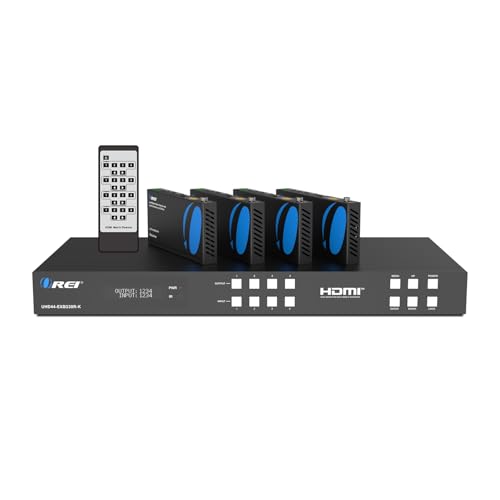
OREI 4 Inputs & 4 Outputs Over CAT6/7 LAN Cable upto 230 Feet. Plus Additional 4 Loop Out HDMI Source at Local Location. Perfect Professional Distribution Product. Ideal for 4K Blu Ray Players, Game Consoles, Media Players, Satellite Receivers, Computers, Laptops and Other Sources. The device comes with a dual voltage supply using a US plug, and an adapter/converter is provided for international use.

【TV or Mirror or Art】- IP65 waterproof TV decorated with the waterproof Polystyrene frame. It is an elegant mirror when turned off and it presents TV program when turned on, or it can transform into a beautiful work of art when you’re not watching TV. A good lifestyle-oriented TV for any room. It is safe and luxury to mount it in the wall of wet places such as bathroom, or any other indoor areas you like.

High-speed 30AWG fiber optic cable for transmitting video and audio signals via HDMI from source to display (One-way transmission only), 20 pack 1 carton , 20 count total
Frequently Asked Questions
Can You Watch International Channels on Amazon Fire Stick?
Yes, international channels can be watched on Amazon Fire Stick through international streaming options. Utilizing a VPN for streaming, setting up Smart DNS, and exploring channel subscription options allow users to bypass geo restrictions and access foreign content.
How to Change Fire TV Region?
Changing Fire TV region involves updating account settings, including new addresses for international streaming services. Utilizing VPN services can assist in testing geo restrictions and optimizing internet connections for enhanced app availability and installations across fire stick alternatives.
How to Enable Foreign Apps on Fire Stick?
To enable foreign apps on Fire Stick, users must sideload applications, adjust device security settings by enabling unknown sources, and utilize a VPN for Fire Stick to bypass app store limitations and streaming restrictions.
How to Activate Global TV on Fire Stick?
With over 50% of global streamers seeking international content, activating Global TV on Fire Stick involves installing a VPN, adjusting regional settings, and ensuring app installation for ideal programming access and diverse streaming options across geo restrictions.


