


The Echo Show can be an exciting digital photo frame, seamlessly displaying your special moments. Users can activate the photo frame mode, link their Amazon Photos, and curate themed albums like vacations or holidays. The slideshow speed is adjustable to 10-15 seconds, allowing for engaging visual experiences. Plus, you can showcase seasonal artworks or integrate reminders and calendar events for an interactive touch. Interested in exploring more tips to enhance your Echo Show? There’s plenty to learn next!
Key Takeaways
- Activate photo frame mode to showcase cherished memories and enhance your living space with rotating images from Amazon Photos.
- Curate themed albums like vacations or events for engaging displays, rotating images every 10-15 seconds.
- Use Echo Show to showcase seasonal artworks or movie posters, adding a creative touch to your decor.
- Integrate smart home features by displaying calendar events or reminders alongside your photo slideshow.
- Utilize the Auto-Save feature in the Alexa app for effortless new photo uploads and keep your display fresh.
Setting Up Your Echo Show for Photo Display
Setting up an Echo Show to display photos can transform a plain device into a vibrant centerpiece for any room. To activate photo frame mode, simply say, “Alexa, turn on photo frame mode,” or access it via the Settings menu. This feature allows the Echo Show to function as a digital photo frame, showcasing cherished memories. By linking it to the Amazon Photos app, users can select which albums to display, ensuring personal significance. Adjust the slideshow settings for an engaging experience, with a changeover speed of 10-15 seconds being ideal. For nighttime comfort, utilize the Night Mode feature to dim the screen’s brightness, making it perfect for a cozy bedroom atmosphere. With these simple steps, the Echo Show becomes a delightful visual experience. Additionally, integrating the Echo Show with smart home devices, such as smart switches with Alexa, enhances the overall home automation experience, allowing for seamless control of lighting and other devices.
Curating a Personalized Photo Album

Curating a personalized photo album for the Echo Show can make showcasing memories enjoyable and meaningful. Using the Amazon Photos app, users can create specific albums that highlight themes like family vacations or special occasions. With Amazon Prime’s unlimited photo storage, managing a collection of photos is hassle-free, eliminating space concerns. To keep viewers engaged, adjusting the photo transition pace to 10-15 seconds is recommended, ensuring a dynamic display. Regularly updating these photo albums with new memories keeps the display fresh and relevant. Additionally, users can simply ask Alexa to show specific albums, turning photo sharing into an interactive experience. This approach not only preserves moments but also transforms the Echo Show into a vibrant storytelling device. For those interested in air quality, smart features and integration allow for seamless control of air purifiers, enhancing the convenience of managing both visual and environmental experiences in the home.
Enhancing Your Space With Rotating Memories
Transforming an Echo Show into an enchanting digital photo frame can greatly enhance any living space. Users can effortlessly activate the photo frame mode with a voice command or through settings, giving life to cherished family memories. With the option to curate displays from Amazon Photos, specific albums can feature prominently, showcasing only the most meaningful personal photos. Customization is at users’ fingertips, adjusting the change speed of images to keep viewers engaged, ideally around 10-15 seconds. For Amazon Prime subscribers, unlimited photo storage provides the freedom to display an extensive library without worrying about space. As a multifunctional device, Echo Shows allow users to enjoy memories while managing other tasks, making it an appealing addition to any home. Rechargeable AA batteries, like those from trusted brands such as BEVIGOR and EBL, are essential for powering various high-drain devices, ensuring consistent and reliable performance.
Beyond Photos: Creative Displays and Uses
The Echo Show goes far beyond simply displaying personal photos; it opens the door to a world of creative displays and functional uses. Users can curate customized content, showcasing everything from movie posters to seasonal artworks, enriching the home’s ambiance. With themed playlists, the Echo Show’s slideshow settings allow for dynamic presentations tailored for holidays or family events, delivering a unique visual experience. Integrating smart home features, it can also display calendar events or reminders alongside the vibrant imagery. Linking to social media albums enables real-time sharing of friends’ and family memories, turning the device into an interactive digital gallery. This multifaceted approach transforms the Echo Show into a stylish and functional home companion. Additionally, the Echo Show can seamlessly connect with smart home devices to display real-time updates and notifications, enhancing its usefulness in a connected household.
Tips for Optimizing Your Echo Show’s Photo Features
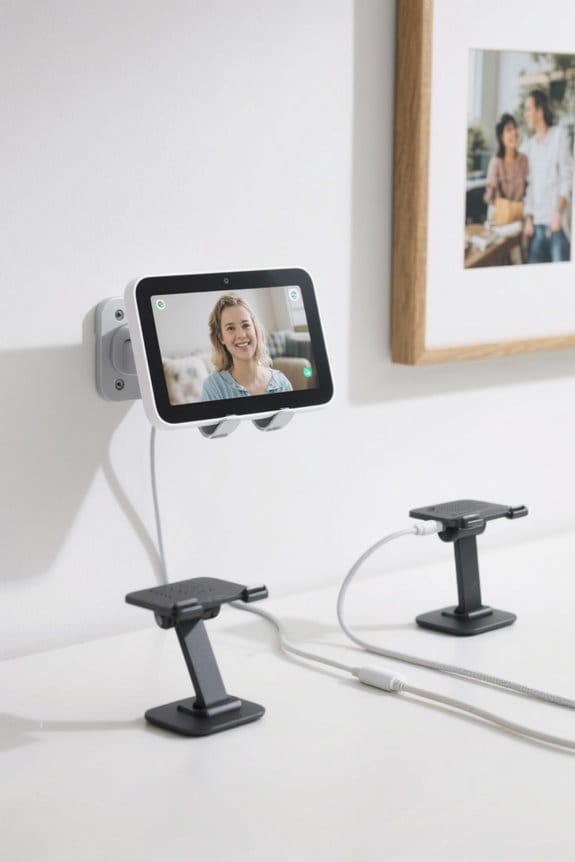
How can one make the most of the Echo Show’s photo features? First, activate photo frame mode by saying, “Alexa, turn on photo frame mode,” or manually enabling it in the settings. Curating specific albums in Amazon Photos can highlight cherished memories, while adjusting the slideshow speed to 10-15 seconds enhances the experience. Additionally, turning on Auto-Save in the Alexa app allows for seamless uploads of new photos from your smartphone, ensuring that your Echo Show displays the latest family moments. Night Mode is another handy feature, dimming brightness for a comfortable viewing experience. Finally, regularly updating albums with fresh content keeps your Echo Show engaging—especially beneficial if you enjoy unlimited storage as an Amazon Prime member. For those looking to enhance their smart home setup, consider using an Echo Show stand with cable management to keep your space tidy and organized.
Frequently Asked Questions
Can Echo Show Be Used as a Digital Picture Frame?
The Echo Show can indeed be used as a digital picture frame. With various Echo display options, extensive photo customizations, and effective screen time management, users enjoy personalized visual experiences that enhance their living spaces.
Can Amazon Echo Be Turned Into a Photo Slideshow Presentation?
Yes, the Amazon Echo Show can be transformed into a photo slideshow presentation through Echo Show settings. Utilizing various photo slideshow apps, users can access digital frame features, creating an enchanting display of cherished memories.
How to Get Echo Show to Display Photos?
To display photos on the Echo Show, access the Display Settings, connect to Echo Photos, and select Custom Albums. Adjust the slideshow speed for ideal viewing and enjoy a personalized photo experience effortlessly.
How to Use Smart TV as a Digital Picture Frame?
To use a smart TV as a digital picture frame, one can utilize smart TV apps and adjust digital display settings. Engaging picture frame modes enhance the viewing experience, proving that smart TVs are versatile for showcasing memories.


