


Setting up guest WiFi access for Fire TV without sharing passwords is smart and easy. First, create a separate guest SSID on your router to keep your main network secure. This isolates visitors while allowing them to access the internet. Using the Amazon Fire TV app helps manage network changes smoothly. You can also consider using a mobile hotspot for quick access. Curious about bandwidth management and alternative control methods? There’s more to explore ahead!
Key Takeaways
- Establish a guest network with its own SSID to separate traffic, enhancing security while connecting Fire TV.
- Utilize WPS to simplify guest access without needing to share complex Wi-Fi passwords.
- Set up device isolation on the guest network to prevent access to the main network for connected Fire TV.
- Regularly update guest network passwords to maintain security while allowing temporary access for visitors.
- Implement bandwidth management features to ensure fair access for all users while streaming on Fire TV.
Understanding Fire TV Connectivity Options
When it comes to connecting a Fire TV device, users have several options to explore, which can seem a bit overwhelming at first. For Fire TV connectivity, many opt for the default Wi-Fi connection, where entering the SSID and password is straightforward. Alternatively, select models like the Fire TV Cube support an Ethernet connection through a USB-to-Ethernet adapter, offering enhanced stability and speed—great for users seeking seamless streaming experiences. Additionally, mobile hotspot compatibility allows connection to smartphones, provided the Wi-Fi credentials are known. With dual-band support for both 2.4 GHz and 5 GHz networks, users can choose the best options for their setup. For optimal viewing, consider devices that support Dolby Vision to enhance the picture quality. Ultimately, choosing the right connection can greatly improve the overall viewing experience.
The Importance of Isolating Guest Networks

Isolating guest networks is crucial for protecting both sensitive data and overall network performance. By implementing network segmentation, guest security is greatly enhanced, preventing unauthorized access to essential internal systems. Isolating guest devices means that any potential malware or attacks are confined, minimizing risk to high-value targets like file servers. Additionally, less-secure IoT devices can be placed on the guest network, protecting the main network from unpatched vulnerabilities. This arrangement also optimizes network performance, allowing critical applications to run smoothly without interference from guest traffic. With clear network boundaries, management and troubleshooting are more straightforward, also aiding in maintaining security and stability. Overall, guest network isolation is a smart move for any connected home or business. Voice-activated technology can be integrated into smart home systems to enhance user convenience while maintaining network security.
Setting Up a Separate Guest SSID

Creating a separate guest SSID is an excellent way for homeowners and small businesses to enhance cybersecurity and manage network traffic efficiently. By setting up a distinct network name, users can enjoy the many guest SSID benefits, including improved privacy and security. Modern routers allow for guest SSID setups through user-friendly apps or web browsers, making the process straightforward. Guests can connect to the internet without accessing shared devices like printers or smart home systems. With customizable passwords and options for traffic management, the guest network can be tailored to specific needs. Regularly updating the password and disabling the guest SSID when not in use can also bolster network security. Integrated cable management in monitor arms helps maintain a clean and organized workspace, reflecting how the structuring of a network can improve functionality and aesthetics. Ultimately, a guest SSID enriches online experiences while keeping the main network secure.
Recommended Products

The Instant On AP25 indoor access point brings the latest Wi-Fi technology - 802.11ax Wi-Fi Certified 6. The Instant On AP25 access point delivers faster Wi-Fi speeds, greater capacity, and reduced latency between access points and devices for a superior Wi-Fi experience. Perfect for gaming, boutique hotels, tech start-ups, and professional offices. Industry-leading 2-year warranty and no extra licensing fees

𝐔𝐥𝐭𝐢𝐦𝐚𝐭𝐞 𝐁𝐄𝟑𝟑𝟎𝟎𝟎 𝐓𝐫𝐢-𝐁𝐚𝐧𝐝 𝐖𝐢-𝐅𝐢 𝟕 𝐒𝐩𝐞𝐞𝐝𝐬: Deco 7 Elite BE95 is designed with the latest Wi-Fi 7 technology, featuring Multi-Link Operation, Multi-RUs, 4K-QAM, and 320 MHz channels. With speeds of 11520 Mbps on the 6GHz band 1, 11520 Mbps on the 6GHz band 2, 8640 Mbps on the 5GHz band, and 1148 Mbps on the 2.4GHz band, the 3 pack mesh connects over 200 devices without dragging down performance and delivers unparalleled Wi-Fi performance.

ETHERNET PORT CONFIGURATION: 24-port 10/100/1000, 4 x 1G uplinks (SFP)
Using the Amazon Fire TV App for Network Changes
Many users appreciate the convenience of using the Amazon Fire TV app to manage network settings, especially when it comes to switching Wi-Fi connections. This app, available for iOS and Android, acts as a remote navigation tool, allowing users to control their Fire TV devices seamlessly. After downloading the app, users must connect their mobile device to the same Wi-Fi network as their Fire TV. Once paired, accessing the Settings menu is straightforward: navigate to Network, select the desired Wi-Fi, and type in the password using the app’s on-screen keyboard. Although this process simplifies network setup, it is crucial to confirm both devices maintain a stable connection for ideal performance (after all, nobody enjoys a lag!). For homes with smart switches, it is important to note that a neutral wire is often required, which may affect installation options and connectivity with certain devices.
Employing Mobile Hotspots for Quick Access
Using a mobile hotspot can be a smart solution for providing temporary internet access to devices like Fire TV, especially when traditional guest WiFi isn’t available. By using gadgets like smartphones or dedicated hotspot devices, users create isolated networks with their own unique passwords, ensuring hotspot security. This setup allows guests to stream content without exposing the primary home network, reducing security risks. However, it’s essential to keep an eye on data monitoring, as cellular plans can have limits. A strong signal and good bandwidth are vital for smooth streaming, so checking coverage ahead of time is wise. With these precautions, mobile hotspots can be a flexible, efficient way to connect guests to the internet. WiFi extenders with high-speed performance can also be considered for enhancing coverage and ensuring a smooth connection experience for all connected devices.
Recommended Products
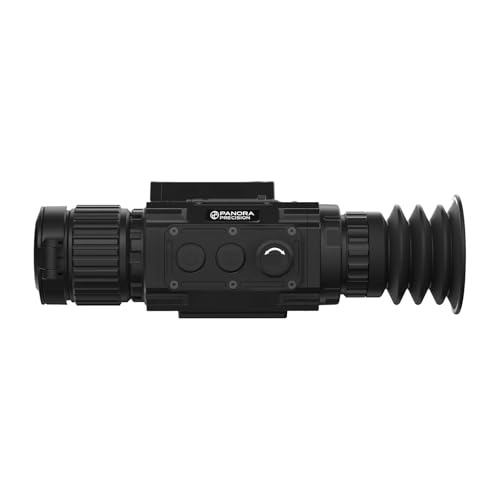
The TK-C Sirius Thermal Riflescope features a 640*512 thermal detector with a high-sensitivity NETD of ≤18 mK, paired with a 50mm objective lens, 3.2x base magnification, and a 50Hz refresh rate for exceptional visual clarity. When combined with its advanced Super-Resolution technology, the system delivers crisp, enhanced details, all displayed vividly on a high-resolution 1024×768 OLED screen.

2x DOME/PANEL ANTENNA KIT: This version of the CEL-FI G41 cell signal booster for AT&T, Verizon or T-Mobile includes 2x of BOTH dome and panel antennas. You can use two and discard the others.
Cloning SSID to Navigate Network Changes
When managing changes in WiFi networks, cloning the SSID can offer a seamless solution for devices like Fire TV. SSID technology allows guests to connect without needing to share passwords, enhancing guest management and maintaining security. By creating a new network that matches the original SSID and password, devices can automatically connect, coordinating connectivity challenges efficiently. This network versatility is especially useful when traveling or setting up temporary hotspots, as it mimics the home network. However, to avoid issues, one should guarantee consistent security protocols and identical network types. Ultimately, cloning SSIDs simplifies access for streaming devices, allowing for uninterrupted entertainment while safeguarding sensitive information (no one likes password drama). The acoustic transparency of high-quality speaker mesh covers ensures minimal interference in audio performance, a principle that can be metaphorically applied to maintaining clear and uninterrupted network connections for streaming devices.
Utilizing WPS for Easy Connection
Connecting a Fire TV Stick to a network can be a breeze, especially by utilizing WPS, or Wi-Fi Protected Setup. This technology offers two primary WPS methods: PIN entry and push-button connection. Both methods help bypass the hassle of remembering complex passwords, making it easier for guests to access WiFi. The temporary WPS PIN generated on the Fire TV Stick guarantees WPS security during the connection process, as it’s valid for only a short duration. While there are significant WPS advantages, including streamlined connectivity and enhanced guest access, WPS troubleshooting may arise due to router compatibility. It’s worth noting that smart home devices like Alexa-compatible microwaves can also benefit from seamless internet connectivity. It’s important to remember, though, that WPS is not universally supported, particularly on new WPA3 networks.
Recommended Products

REDEFINING WI-FI ROUTERS: With powerful Wi-Fi 7 performance, lightning-fast wired connections, brand-new design, and easy-to-use touchscreen and LED screen. All WiFi routers require a separate modem.

Supports up to 3000 users and up to 450 concurrent calls

Included components: RUTM50 Router, 18 W USA PSU, 4 x Mobile antennas (swivel, SMA male), 2 x Wi-Fi antennas (magnetic mount, RP-SMA male, 1.5 m cable), 1 x GNSS antenna (adhesive, SMA male, 3 m cable), Ethernet cable (1.5 m), and SIM Adapter kit
Overcoming Hotel Wi-Fi Restrictions
Maneuvering through the maze of hotel Wi-Fi can feel like a game of hide and seek, especially when guests encounter restrictions that impede their streaming or browsing. One effective solution is using a VPN, which offers advantages like masking IP addresses and encrypting traffic, effectively bypassing hotel firewalls. Additionally, portable travel routers, particularly models like GL.iNet, can authenticate just once to grant internet access to multiple devices, alleviating device limits. For a low-tech workaround, MAC whitelisting can permanently end captive portal hurdles, provided you negotiate with network staff. Finally, DNS tunneling utilizes typically unblocked DNS traffic, often circumventing restrictions. With these tools, guests can enjoy seamless internet access, even in the most restrictive environments. For those traveling with cooking appliances, Hamilton Beach Portable slow cookers offer a convenient way to prepare meals while on the go, minimizing the hassle of finding dining options in unfamiliar places.
Managing Bandwidth for Guest Networks
Effective bandwidth management for guest networks can greatly enhance the overall user experience, especially in environments like hotels or shared spaces. By implementing strategies such as bandwidth allocation and data prioritization, network administrators can guarantee fair access for all users. For instance, setting data usage alerts helps track consumption spikes, particularly during HD or 4K streaming, and avoids network overload. Using Quality of Service (QoS) features on routers enables the prioritization of traffic types, ensuring that guest WiFi does not disrupt primary users. Additionally, adjusting video quality settings on Fire TV devices can considerably reduce bandwidth usage. Through these methods, guests can enjoy a smoother streaming experience while keeping the network stable and efficient. Incorporating strong security protocols such as WPA/WPA2 is crucial to protect the network from unauthorized access while managing guest WiFi.
Exploring Alternative Control Methods for Fire TV
Many users find that exploring alternative control methods for Fire TV can markedly enhance their viewing experience. For instance, smartphone navigation via the Amazon Fire TV app provides a handy virtual remote with features like voice commands and keyboard input. Meanwhile, HDMI integration allows users to control Fire TV using their TV remote, simplifying access for guests without needing Wi-Fi passwords. Additionally, universal remote attachments, such as the Sideclick, offer a unified control approach for various devices, making it easy to manage entertainment setups. Finally, mouse support paired with Bluetooth or USB connections enables a more traditional navigation experience, especially helpful for those who prefer precise control over voice commands or remote buttons. Incorporating Bluetooth devices can create an engaging setup by allowing easy song selection and enhancing the fun factor during karaoke sessions. These options guarantee that guests can enjoy seamless access.
Addressing Compatibility Limitations
While setting up a Fire TV device in guest networks, users often encounter compatibility limitations that can hinder their experience. Fire TV struggles with device detection and authentication methods required by some networks, especially those employing complex captive portals. As many hotels rely on advanced network protocols, connecting can be tricky without proper firmware updates or compatible routers. Users may face challenges if the network utilizes Protected Management Frames (PMF), which Fire TV does not support. This could lead to connection failures or slow performance. To enhance connectivity, users can adopt specific troubleshooting techniques, like entering portal URLs on other devices, but this adds complexity. Understanding these compatibility issues can help users make informed decisions when connecting Fire TV to various guest networks.
Ensuring Security on Guest Networks
To guarantee security on guest networks, it is essential to implement robust measures that protect both users and the network itself. One effective approach is device isolation, which guarantees that guest devices are separated from the main network. This method prevents unauthorized access to sensitive information and reduces the risk of malware spreading. Employing strong authentication, such as WPA2 or WPA3 encryption, alongside unique passwords, enhances guest network security. Additionally, using features like DNS-based content filtering can block harmful websites, safeguarding users. Regular monitoring of connected devices allows for prompt detection of unusual activity, guaranteeing ongoing security. By consistently updating router firmware and educating guests about potential risks, network owners can enjoy peace of mind knowing their guest network remains secure and reliable.
Frequently Asked Questions
How Do I Reset the Fire TV Without a Remote?
To reset the Fire TV without a remote, one can use Fire TV Remote App or physical button methods. Alternatively, Alexa voice commands also serve as remote alternatives, enabling users to initiate a factory reset effectively.
Can I Use a VPN on Fire TV With Guest Wi-Fi?
A well-locked door enhances security, akin to using a VPN on Fire TV in guest Wi-Fi settings. Compatible apps bolster streaming performance, while proper Fire TV configuration guarantees robust network security, shielding user data effectively.
What Devices Can I Control Fire TV With Besides a Smartphone?
Fire TV can be controlled with various devices besides smartphones, including voice remotes and tablets. Voice remotes allow for hands-free navigation, while tablet control enables a more extensive interface for managing streaming activities efficiently.
How Long Does a Guest SSID Stay Active?
In a world where wireless signals roam freely, guest network duration typically lasts from 30 minutes to several hours, governed by access management settings. Proper configurations enhance security and guarantee efficient wireless access for all users.
Do I Need a Specific Router for Guest Networks?
A specific router is not mandatory for guest networks, but router compatibility markedly affects guest network security. Most modern routers with built-in features support secure guest access and enhance user experience through enhanced settings and controls.


