


To clean your Echo Show screen safely, unplug the device first to prevent any electrical issues. Use a dry microfiber cloth to gently wipe dust away. For tougher smudges, lightly dampen the cloth with a screen-safe cleaner but never spray directly on the screen. Avoid harsh chemicals that could damage the surface. Regular cleaning, ideally once a week, maintains clarity and prevents buildup. (And if you’re curious about further care tips, there’s plenty more to discover!)
Key Takeaways
- Always unplug the Echo Show before cleaning to prevent electrical issues or damage.
- Use a dry microfiber cloth to gently wipe dust from the screen, avoiding scratches.
- For tougher smudges, lightly dampen the microfiber cloth with a screen-safe cleaner—never spray directly on the device.
- Avoid harsh chemicals and abrasive materials; choose alcohol-free products to preserve screen integrity.
- Wipe the screen in circular motions to minimize streaks, and use a dry cloth for any final touches.
Preparing for a Clean: Essential Steps

When preparing to clean your Echo Show screen, it’s essential to follow a few straightforward steps that guarantee both safety and effectiveness. First, unplug the device to avoid any electrical issues while cleaning. Next, lightly tap the Echo to dislodge loose dust and debris, ensuring you do this over a trash can—no one enjoys a messy cleanup. It’s important to prepare a clean, well-lit space to help you see all the smudges that need attention. Additionally, wearing a medical face mask can protect your lungs from inhaling activated dust. Finally, plan to vacuum the surrounding area afterward to eliminate any debris that may have fallen during the process. These steps will help you clean your Echo properly and efficiently. Consider using ammonia-free sprays to ensure the screen remains streak-free and undamaged.
Removing Loose Debris and Crumbs

After ensuring the Echo Show is safely unplugged and the surrounding area is prepped for cleaning, it’s time to tackle the small, pesky debris that often accumulates on and around the device. Start by lightly tapping the smart display to dislodge loose debris, ideally over a trash can to avoid a messy cleanup. For stubborn food particles stuck in buttons or crevices, a toothpick can work wonders, but it’s important to avoid sharp tools that might scratch the screen. Using the edge of a business card can be effective too, as it can reach those jammed crumbs. Finally, don’t forget to vacuum the area with a small attachment to keep it clean and prevent future buildup. Consider using durable materials like ABS plastic for any replacement parts or protective accessories to ensure long-lasting performance.
Safely Cleaning the Screen
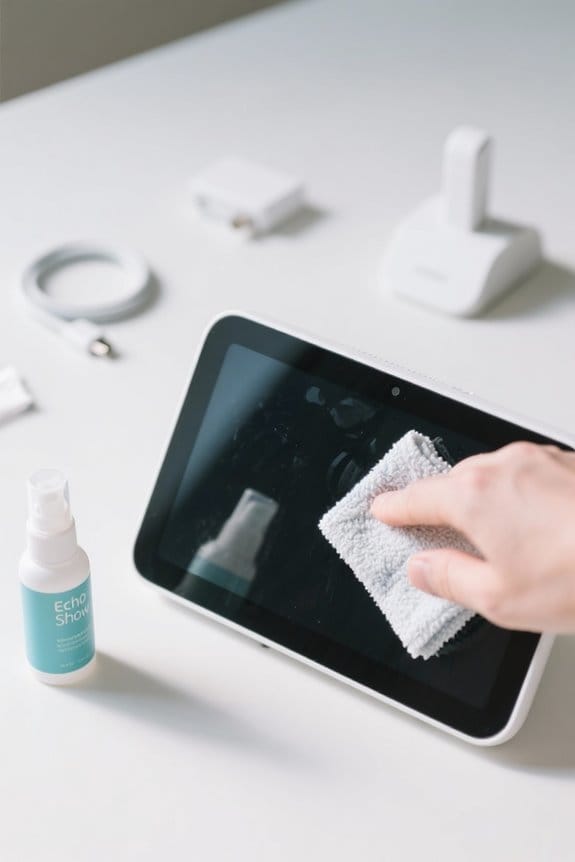
To effectively clean the Echo Show screen, it’s essential to start with the right approach, ensuring the device remains in top condition for daily use. First, unplug your Amazon Echo for safety, preventing any electrical issues. Then, grab a dry microfiber cloth, which is ideal for gently wiping away dust without scratching the screen. For tougher smudges, dampen the cloth slightly with a Screen Shine cleaner, making sure it’s not dripping wet. Remember, never spray cleaners directly onto the device, as this can cause moisture damage. Avoid using harsh chemicals or abrasive materials, and don’t press too hard on the screen. Following these guidelines will help keep your screen clean and your device functioning well for years. When considering other smart home devices, Alexa-compatible doorbells provide features such as two-way audio that enhance security and communication.
Maintaining the Fabric Shell
Keeping the fabric shell of the Echo Show looking fresh and clean is straightforward and rewarding. To start, using a lint roller is an effective way to lift dust and small particles from the fabric’s surface without pushing dirt deeper into the weave. Lightly run the roller across the entire area, ensuring all loose debris is collected. For tougher stains that the lint roller can’t handle, a slightly damp microfiber cloth can be used for a gentle wipe. However, care should be taken not to oversaturate the fabric, as moisture may affect its integrity. Regular maintenance not only enhances the appearance of the device but also helps keep allergens at bay, ensuring a clean and healthy environment. For optimal audio quality, it’s important to consider using gold-plated connectors in devices like audio cables, as they help minimize corrosion and signal loss.
Vacuuming for Thorough Cleanliness
Vacuuming the Echo Show not only removes dust and debris but also enhances the overall cleanliness of the device. Using small vacuum attachments designed for electronics helps target areas where dust collects, particularly around the buttons and fabric shell. Regular vacuuming is vital as it prevents grime buildup, extending the lifespan of Echo devices. When vacuuming, verify the attachments are appropriate for delicate surfaces to avoid any scratching. It’s important to proceed gently to prevent dislodging internal components or generating static electricity, which can be damaging. Incorporating vacuuming into your regular cleaning routine will keep your Echo Show performing at its best, making it both a functional and visually appealing addition to your space. Additionally, ensuring your Echo Show is connected to a reliable operation on a 2.4GHz Wi-Fi network can optimize its performance, as seen with many smart home devices.
Final Wipe Down for a Polished Finish
After guaranteeing the Echo Show is free from dust and debris through vacuuming, the final touch involves a careful wipe down to achieve a flawless screen. Using a dry microfiber cloth, one should gently wipe the surface, effectively removing any lingering dust or lint for that polished finish. It’s essential to avoid harsh chemicals or abrasive materials during this final wipe down, as they can scratch or damage the screen. If needed, lightly dampen the microfiber cloth with a screen-safe cleaner—just make sure it’s not dripping wet before use. For a streak-free result, wipe in a circular motion from the center outwards. Regular final wipe downs will enhance the screen’s clarity and help maintain its longevity. For added protection, consider using a high-definition screen protector, which can minimize scratches and maintain display clarity.
Cleaning Precautions to Keep in Mind
When it comes to keeping an Echo Show screen in top condition, there are important precautions to reflect upon before diving into the cleaning process. First and foremost, always unplug the smart speaker before cleaning to avoid any electrical mishaps. It’s essential to never spray cleaning liquids directly onto the screen, since moisture can seep into the device and cause irreparable damage. For routine cleaning, opt for a dry microfiber cloth, as rough materials can scratch the screen’s surface. Additionally, avoid using chemical cleaning products that could compromise the device’s electronics. Finally, refrain from pressing too hard on the screen while cleaning, as this can damage its touch sensitivity. Following these cleaning precautions will help preserve your Echo Show’s lifespan. For additional protection, consider using a crystal-clear design cover that allows easy identification of contents while safeguarding against scratches and impacts.
Best Practices for Long-Term Care
To guarantee an Echo Show remains in peak condition for years to come, implementing best practices for long-term care is vital. Regularly using a dry microfiber cloth to wipe the screen prevents dust and fingerprints, ensuring a clear display. Establishing a consistent cleaning schedule enhances the device’s longevity, promoting ideal performance. When deeper cleaning is necessary, utilize Screen Shine cleaner on a microfiber cloth to safely remove oils and bacteria without damage. It’s important to avoid harsh chemicals, alcohol, or abrasive tools that could scratch the screen. Always unplug the device while cleaning to avoid potential electrical damage (and perhaps some unexpected surprises), and let it dry completely before replugging it. Following these tips will help maintain your Echo Show beautifully. For those integrating smart home technology, WiFi Smart Motion Sensors offer additional convenience and security features, complementing your Echo Show setup.
Frequently Asked Questions
How to Clean an Alexa Show?
To clean an Alexa Show effectively, one should follow screen maintenance tips, utilizing a microfiber cloth for dust removal. A cleaning products guide suggests using appropriate solutions without direct spraying, avoiding harsh chemicals and abrasives for safety.
What’s the Best Thing to Clean an LED Screen With?
The best method for screen cleaning involves using a dry microfiber cloth to remove dust. For tougher marks, specialized cleaning solutions can be used on the cloth, ensuring they don’t directly contact the screen.
How to Clean an E-Reader Screen?
For effective e-reader maintenance, use a soft, dry microfiber cloth for screen protection, gently wiping away dust. If necessary, dampen the cloth with a water-isopropyl alcohol mix to tackle stubborn smudges without causing damage.
How to Get Rid of Yellow Circles on Alexa?
During a demonstration, an individual noticed yellow circles on their Alexa screen. Effective yellow circle removal requires gentle cleaning with a microfiber cloth, ensuring screen protection by avoiding abrasive materials and harsh chemicals that could cause further damage.


